【Docker】Docker容器与守护进程运维(一)
·
一、配置容器的自动重启策略
容器默认不支持自动重启,要为容器配置重启策略,可在执行命令启动或创建容器时使用–restart选项。
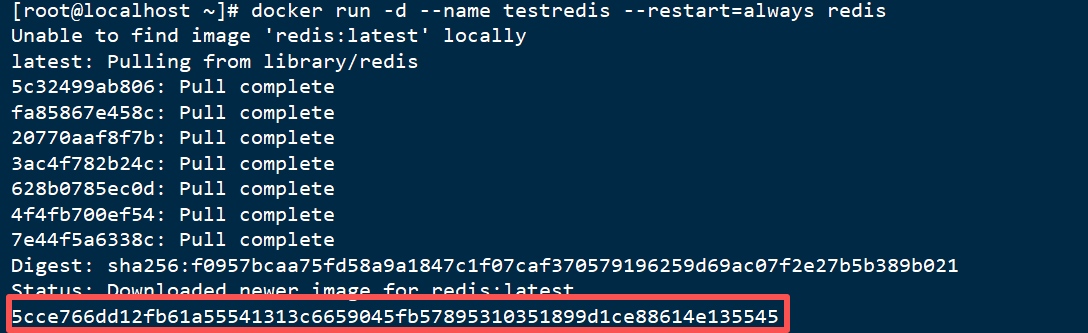
(1)运行一个始终重启的Redis容器
docker run -d --name testredis --restart=always redis
(2)查看当前容器列表
docker container ls

(3)测试是否自动重启
- 停止docker
systemctl stop docker

根据警告信息,可见,docker.socket仍在运行,需要停止
- 停止docker.socket,停用自动唤醒机制
systemctl stop docker.socket

- 查看运行容器
docker container ls

可见docker守护进程未运行,故没有容器正在运行。
(4)启动docker并查看是否有容器正在运行
systemctl start docker
docker container ls

(5)使用on-failure策略指定docker尝试重启容器的最大次数。
docker update --restart=on-failure:3 testredis
设置更改为失败后重启、最大重启次数为3.

(6)停止并删除该容器
二、在容器中使用supervisord管理PHP和Nginx服务
Supervisor是Linux/UNIX 系统下的一个进程管理工具,其守护进程名为supervisord,使用该工具可以很方便地监听、启动、停止、重启一个或多个进程。如果使用该工具管理的进程意外地被“杀死”,那么 supervisord 监听到之后会自动将它重启。该工具有实现进程自动恢复的功能,不需要编写Shell 脚本来进行控制。在容器中使用该工具,需要将supervisord 及其配置打包到镜像中(或基于一个包含 supervisord 的镜像),与它所管理的不同应用程序放在一起。
(1)创建项目目录
命名为php-nginx-supervisord
mkdir -p ch04/ php-nginx-supervisord

(2)在该目录下创建nginx子目录
- 准备nginx服务配置文件,即nginx.conf和conf.d/site.conf
cd ./php-nginx-supervisord
mkdir -p nginx
- 创建配置文件
touch nginx/nginx.conf
mkdir -p nginx/conf.d
touch nginx/conf.d/site.conf
- 配置配置文件
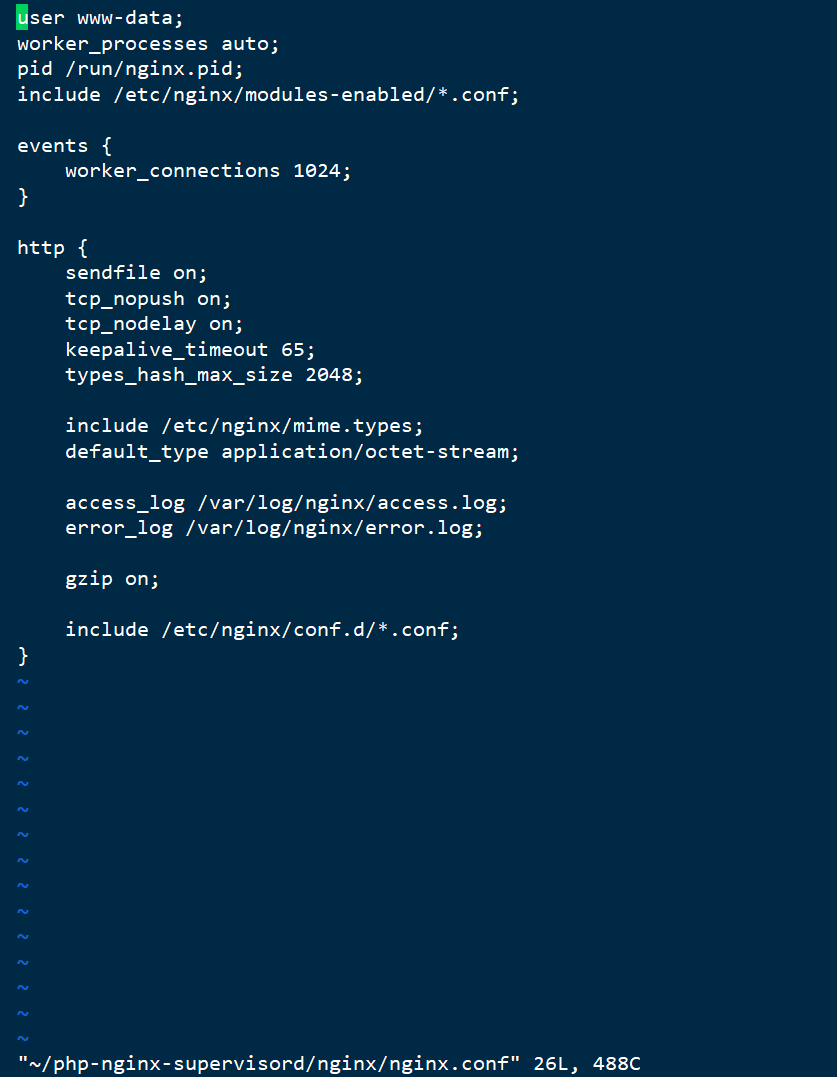
vi /root/php-nginx-supervisord/nginx/nginx.conf
nginx.conf文本内容:
user www-data;
worker_processes auto;
pid /run/nginx.pid;
include /etc/nginx/modules-enabled/*.conf;

events {
    worker_connections 1024;
}

http {
    sendfile on;
    tcp_nopush on;
    tcp_nodelay on;
    keepalive_timeout 65;
    types_hash_max_size 2048;

    include /etc/nginx/mime.types;
    default_type application/octet-stream;

    access_log /var/log/nginx/access.log;
    error_log /var/log/nginx/error.log;

    gzip on;

    include /etc/nginx/conf.d/*.conf;
}
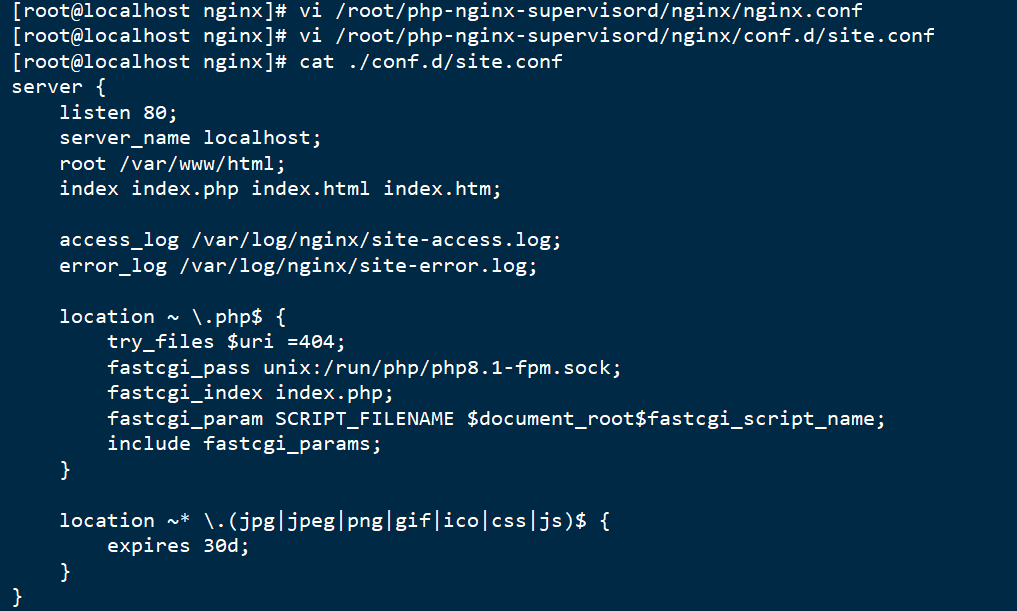
vi /root/php-nginx-supervisord/nginx/conf.d/site.conf
site.conf文本内容:
server {
    listen 80;
    server_name localhost;
    root /var/www/html;
    index index.php index.html index.htm;

    access_log /var/log/nginx/site-access.log;
    error_log /var/log/nginx/site-error.log;

    location ~ \.php$ {
        try_files $uri =404;
        fastcgi_pass unix:/run/php/php8.1-fpm.sock;
        fastcgi_index index.php;
        fastcgi_param SCRIPT_FILENAME $document_root$fastcgi_script_name;
        include fastcgi_params;
    }

    location ~* \.(jpg|jpeg|png|gif|ico|css|js)$ {
        expires 30d;
    }
}
(3)配置supervisord文件
mkdir -p /root/php-nginx-supervisord/supervisord/conf.d
cd /root/php-nginx-supervisord/supervisord/conf.d
touch supervisord.conf
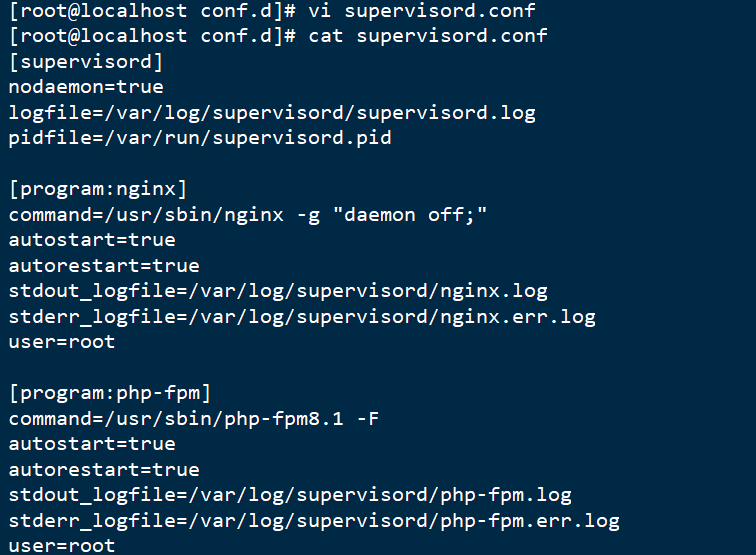
vi supervisord.conf
supervisord.conf文本内容:
[supervisord]
nodaemon=true
logfile=/var/log/supervisord/supervisord.log
pidfile=/var/run/supervisord.pid

[program:nginx]
command=/usr/sbin/nginx -g "daemon off;"
autostart=true
autorestart=true
stdout_logfile=/var/log/supervisord/nginx.log
stderr_logfile=/var/log/supervisord/nginx.err.log
user=root

[program:php-fpm]
command=/usr/sbin/php-fpm8.1 -F
autostart=true
autorestart=true
stdout_logfile=/var/log/supervisord/php-fpm.log
stderr_logfile=/var/log/supervisord/php-fpm.err.log
user=root
(4)编写Dockerfile
touch Dockerfile
vi Dockerfile
Dockerfile文本内容:
FROM ubuntu:22.04

ENV DEBIAN_FRONTEND=noninteractive

RUN apt-get update && apt-get install -y \
    nginx \
    php8.1 \
    php8.1-fpm \
    php8.1-cli \
    php8.1-mbstring \
    php8.1-curl \
    php8.1-gd \
    php8.1-mysql \
    php8.1-xml \
    supervisor \
    && rm -rf /var/lib/apt/lists/*

RUN mkdir -p /var/log/supervisord \
    && mkdir -p /var/www/html \
    && chown -R www-data:www-data /var/www/html \
    && chmod 755 /var/www/html

COPY nginx/nginx.conf /etc/nginx/nginx.conf
COPY nginx/conf.d/site.conf /etc/nginx/conf.d/site.conf

COPY supervisord/conf.d/supervisord.conf /etc/supervisor/conf.d/supervisord.conf

COPY html/ /var/www/html/

EXPOSE 80

CMD ["/usr/bin/supervisord", "-c", "/etc/supervisor/conf.d/supervisord.conf"]
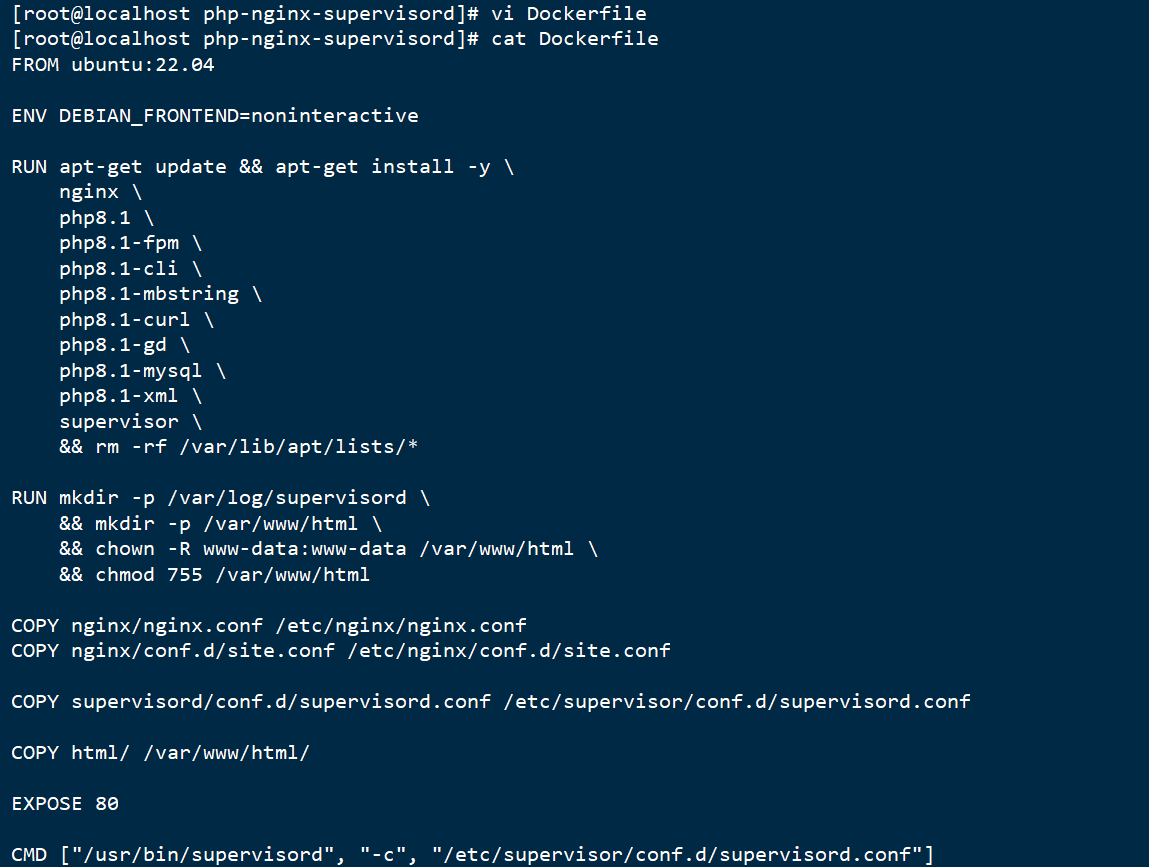
(5)在项目目录下执行,基于Dockerfile构建镜像
- 创建html/index.php文件
mkdir html
touch html/index.php
vi html/index.php

index.php文本内容:
<?php
echo "<h1>PHP-Nginx-Supervisord 测试页面</h1>";
echo "<p>当前时间: " . date('Y-m-d H:i:s') . "</p>";
echo "<p>PHP版本: " . phpversion() . "</p>";

echo "<h3>服务器信息:</h3>";
echo "<pre>";
print_r($_SERVER);
echo "</pre>";
?>
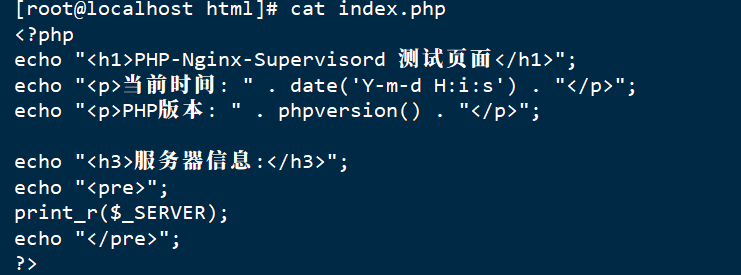
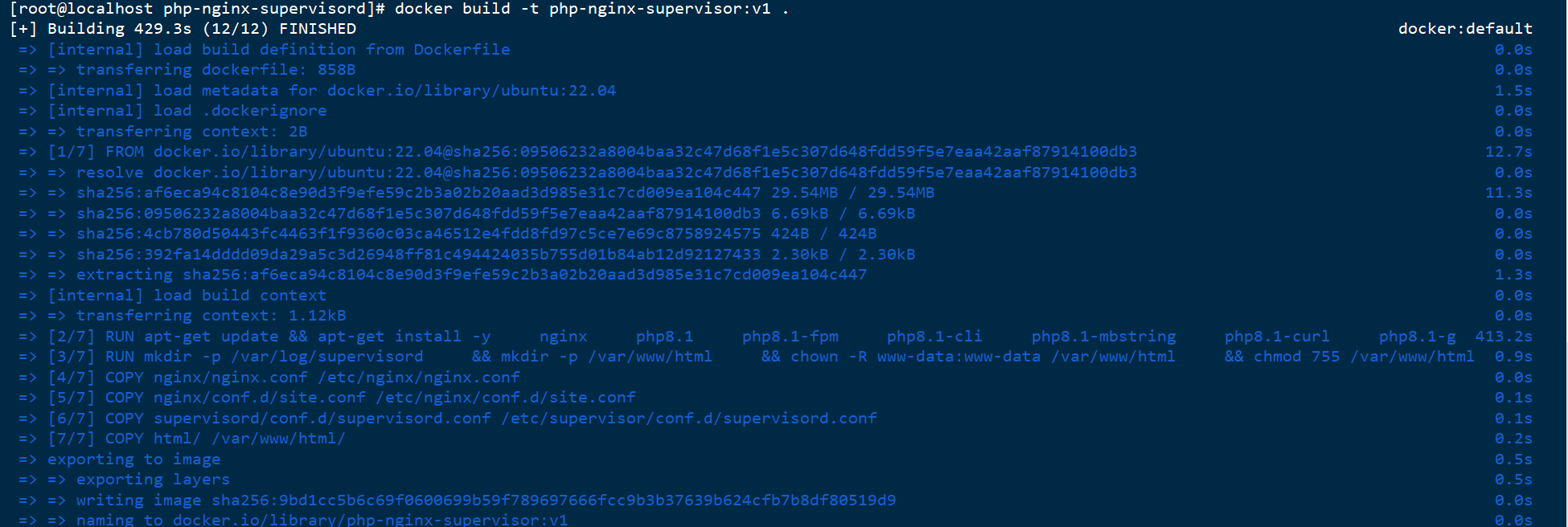
- 基于Dockerfile构建镜像
docker build -t php-nginx-supervisor:v1 .
(6)基于构建的镜像启动容器
docker run -d -p 8080:80 --name php-web-app php-nginx-supervisor:v1

三、测试容器健康检查功能
(1)下载busybox镜像
docker pull busybox

(2)执行命令
docker run --rm --name test-health -d --health-cmd 'stat /etc/passwd || exit 1' --health-interval 20s --health-retries 1 busybox sleep 1d
docker inspect --format '{{.State.Health.Status}}' test-health

四、谢谢观看!

码道开发者社区,聚焦华为云码道 CodeArts 代码智能体,沉淀 Agent、Skill、鸿蒙开发实战内容,供开发者查阅资料、交流技术、分享工程实践
更多推荐



 21
21 0
0- 0


 已为社区贡献6条内容

所有评论(0)