Docker04-镜像源切换
·
Docker04-镜像源切换
背景说明:在docker-compose进行本地镜像构建的过程中,显示访问https://registry-1.docker.io/v2/library/python/manifests/3.12失败,我手动访问该地址也失败,说明该镜像地址可能已经凉了,需要更换镜像源
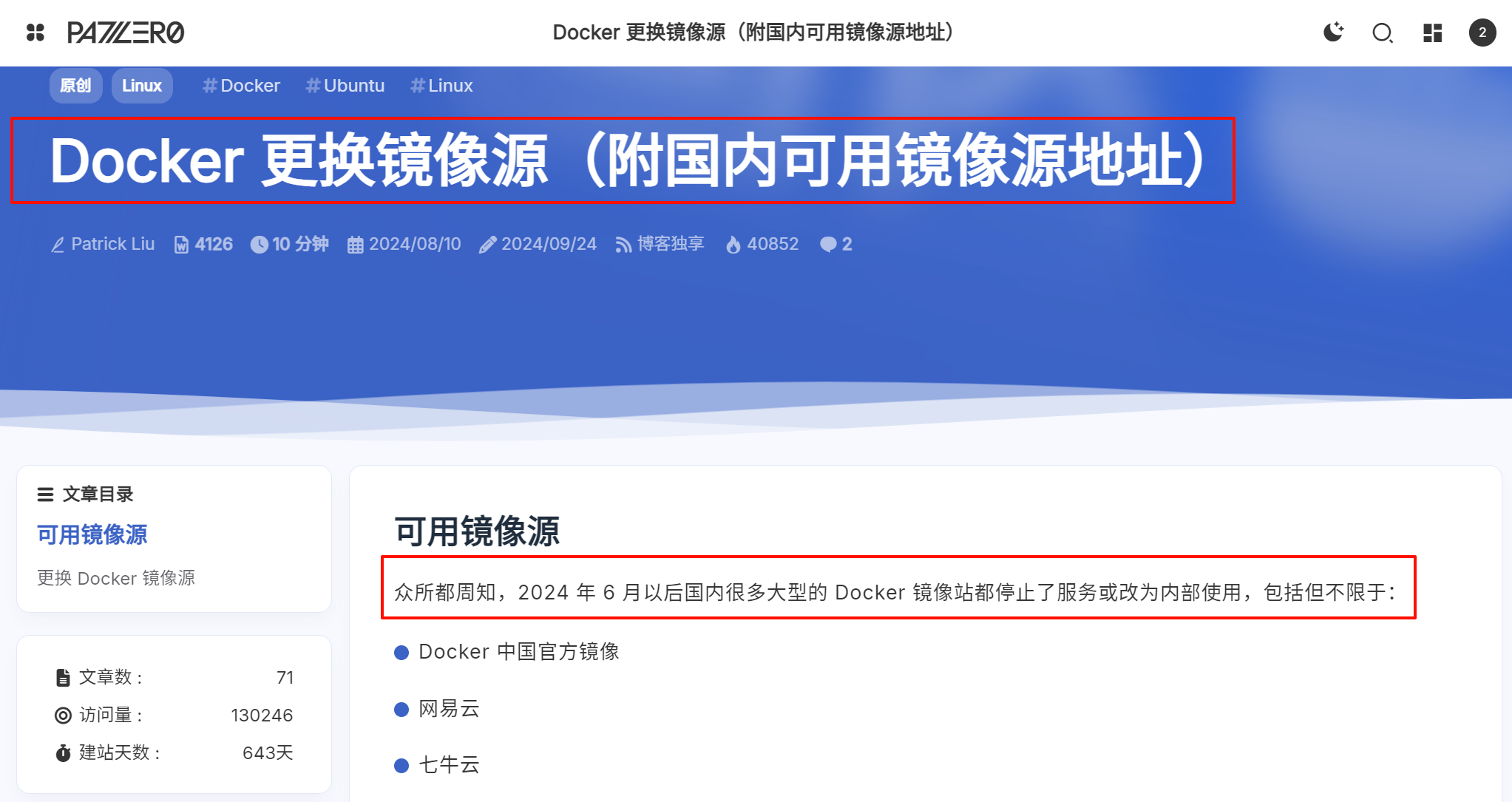
1-参考网址
- 貌似网内维护的Docker镜像地址:https://patzer0.com/archives/configure-docker-registry-mirrors-with-mirrors-available-in-cn-mainland
2-镜像源切换-Windows
windows 版
Step1 打开 Docker for windows
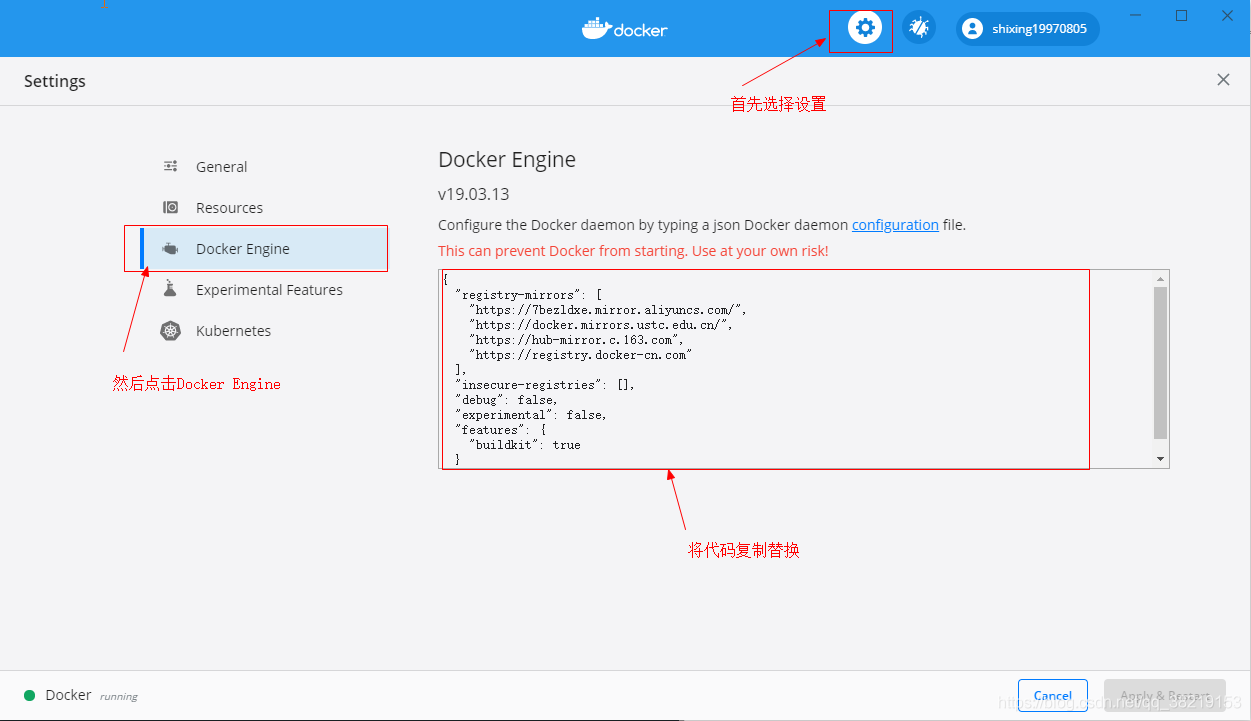
{
    "registry-mirrors": [
        "https://docker.1panel.live",
        "https://hub.rat.dev",
        "https://7bezldxe.mirror.aliyuncs.com/",
        "https://docker.mirrors.ustc.edu.cn/",
        "https://hub-mirror.c.163.com",
        "https://registry.docker-cn.com"
    ],
    "insecure-registries": [],
    "debug": false,
    "experimental": false,
    "features": {
        "buildkit": true
    }
}
Linux 版
Step1 创建配置文件
vi /etc/docker/daemon.json
然后将上述 json 输入
step2 重启 docker 服务
3-本地Docker配置备份
1-原始配置
{
  "builder": {
    "gc": {
      "defaultKeepStorage": "20GB",
      "enabled": true
    }
  },
  "experimental": false
}
2-修改后配置
{
    "builder": {
        "gc": {
            "defaultKeepStorage": "20GB",
            "enabled": true
        }
    },
    "experimental": false,
    "registry-mirrors": [
        "https://docker.1panel.live",
        "https://hub.rat.dev",
        "https://7bezldxe.mirror.aliyuncs.com/",
        "https://docker.mirrors.ustc.edu.cn/",
        "https://hub-mirror.c.163.com",
        "https://registry.docker-cn.com"
    ],
    "insecure-registries": [],
    "debug": false,
    "features": {
        "buildkit": true
    }
}

码道开发者社区,聚焦华为云码道 CodeArts 代码智能体,沉淀 Agent、Skill、鸿蒙开发实战内容,供开发者查阅资料、交流技术、分享工程实践
更多推荐



 6
6 0
0- 0



 已为社区贡献2条内容

所有评论(0)