使用Docker部署GitLab代码托管平台
·
1、安装要求
详见:
https://gitlab.cn/docs/jh/install/requirements
https://docs.gitlab.com/install/requirements
https://docs.gitlab.com/omnibus/settings/memory_constrained_envs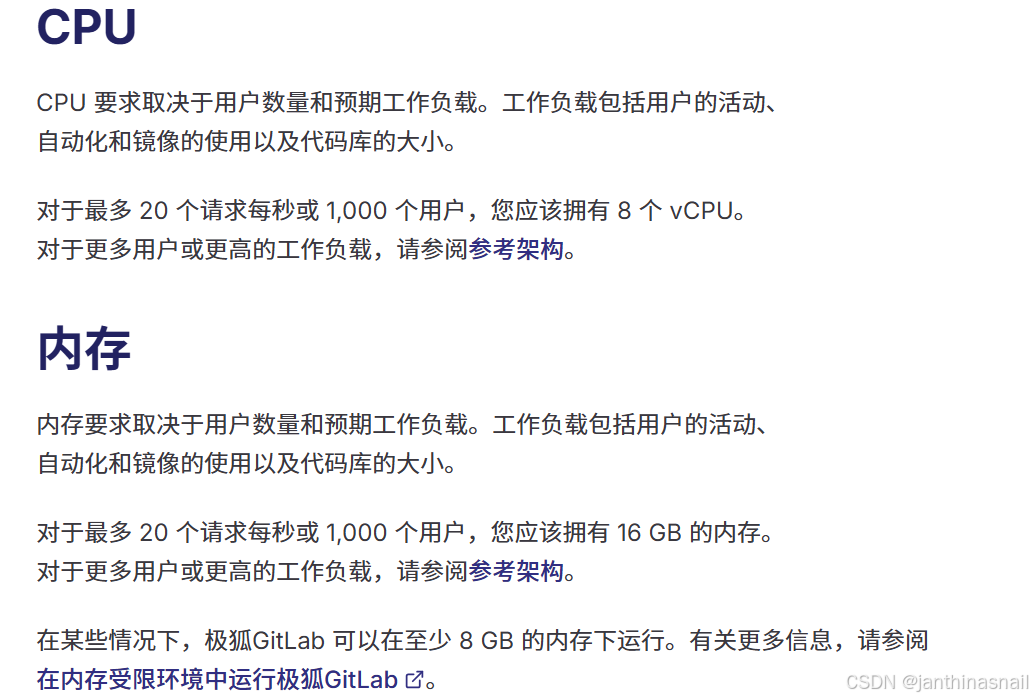
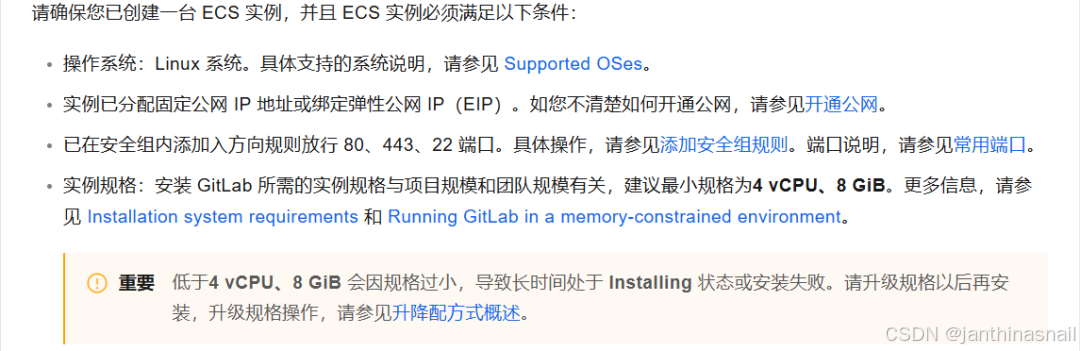
当前操作系统:Ubuntu Server 24.04 LTS 64位
CPU:4核
内存:8GB
2、安装Docker
3、安装GitLab
详见:
https://gitlab.cn/docs/jh/install/docker
https://docs.gitlab.com/install/docker
https://help.aliyun.com/zh/ecs/use-cases/deploy-and-use-gitlab
创建目录:
mkdir gitlab切换目录:
cd gitlab创建docker-compose.yml文件:
详见:
https://gitlab.cn/docs/jh/install/docker/installation/#install-gitlab-by-using-docker-compose
https://docs.gitlab.com/install/docker/installation/#install-gitlab-by-using-docker-compose
https://docs.gitlab.com/update/convert_to_ee/docker
services:
gitlab:
image: gitlab/gitlab-ce:latest
container_name: gitlab
restart: always
hostname: 'gitlab.example.com'
environment:
GITLAB_OMNIBUS_CONFIG: |
# 在这里添加任何其他 gitlab.rb 配置,每行一个
external_url 'https://gitlab.example.com'
ports:
- '8080:80'
- '8443:443'
- '8022:22'
volumes:
- './config:/etc/gitlab'
- './logs:/var/log/gitlab'
- './data:/var/opt/gitlab'
shm_size: '256m'修改docker-compose.yml文件:
# 假设当前ip为192.168.186.128

sed -i "s#hostname: 'gitlab.example.com'#hostname: '192.168.186.128'#g" docker-compose.yml
sed -i "s#https://gitlab.example.com#http://192.168.186.128#g" docker-compose.yml
创建并启动容器:
docker-compose up -d查看容器列表:
docker ps查看密码:
docker exec -it gitlab grep 'Password:' /etc/gitlab/initial_root_password停止并销毁容器:
docker-compose down删除目录:
rm -rf ./config ./logs ./data删除镜像:
docker rmi gitlab/gitlab-ce:latest4、浏览器访问
假设当前ip为192.168.186.128
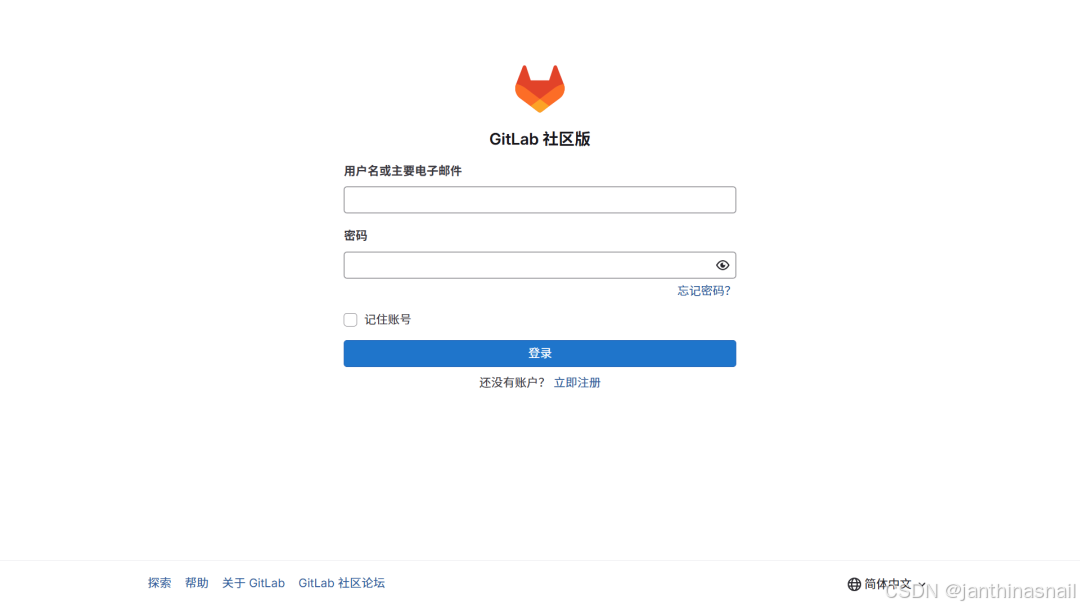
浏览器访问:http://192.168.186.128:8080
管理员账号:root
查看密码:docker exec -it gitlab grep 'Password:' /etc/gitlab/initial_root_password
登录:
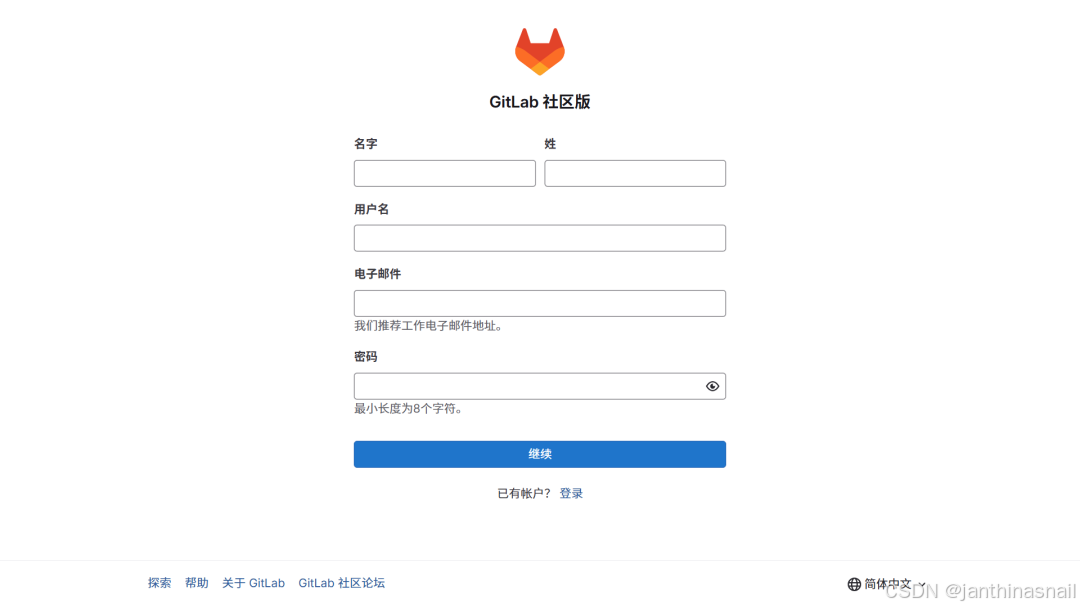
点击“立即注册”:
管理后台:
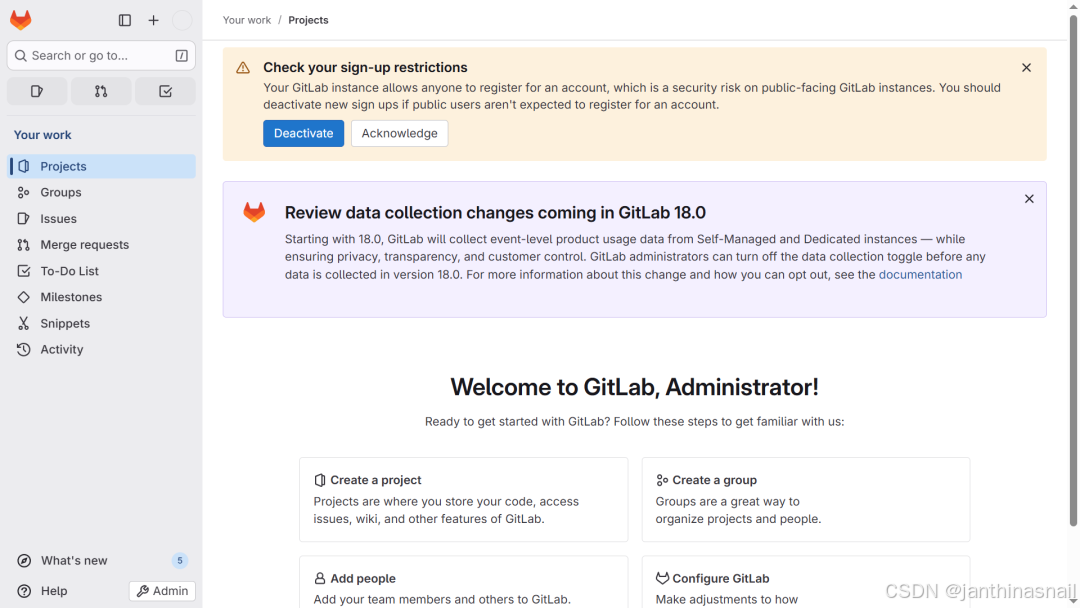
“Import and export settings”:
请根据实际情况进行配置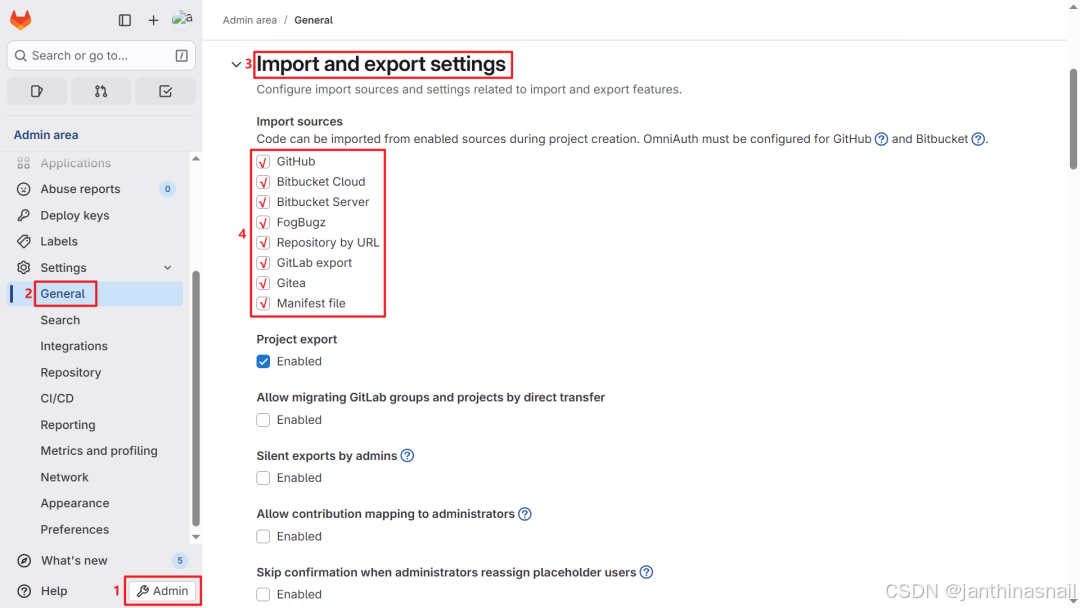
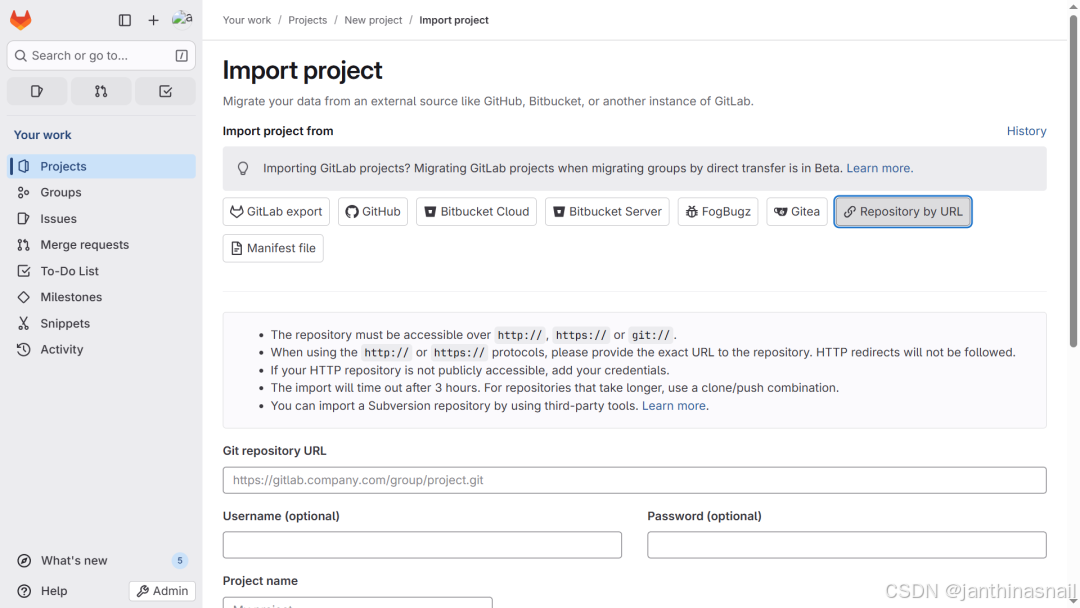
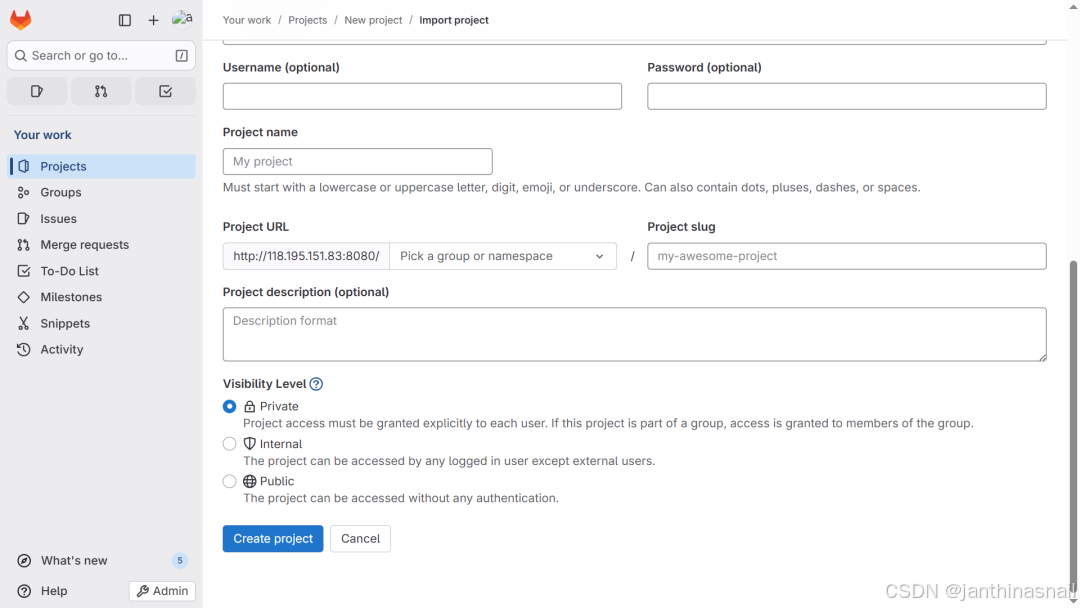
“New project/repository”:
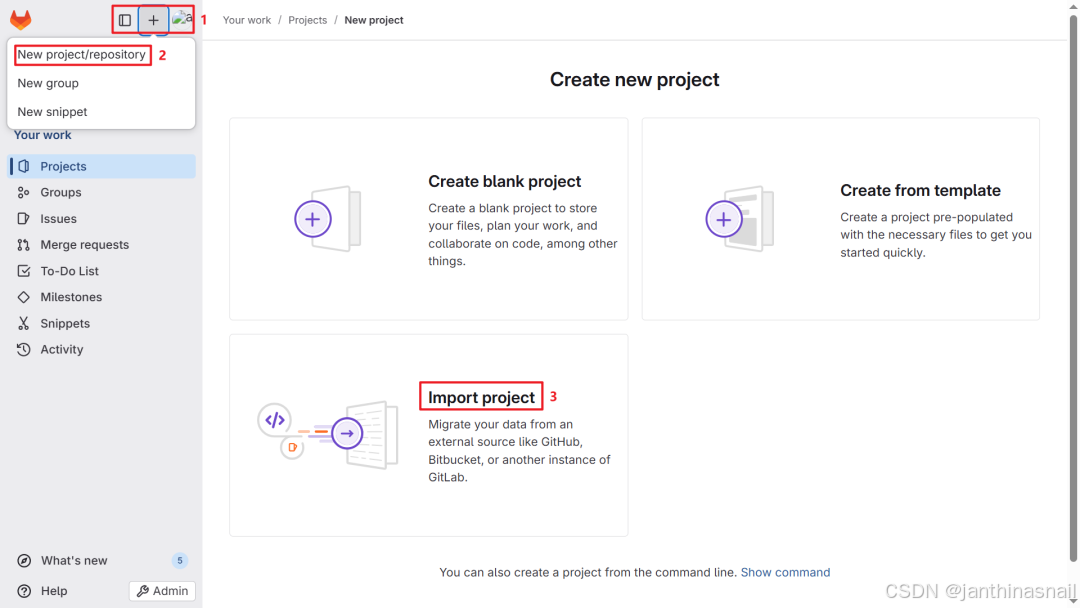
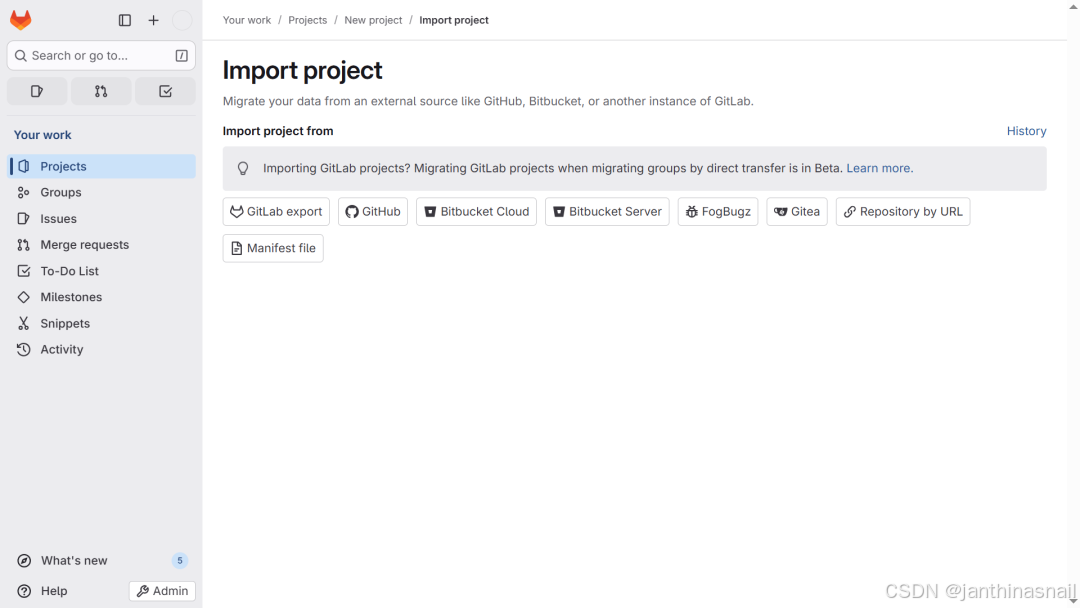
点击“Repository by URL”:
5、详见
https://gitlab.cn/docs/jh/install/requirements
https://gitlab.cn/docs/jh/install/docker
https://docs.gitlab.com/install/requirements
https://docs.gitlab.com/install/docker
https://help.aliyun.com/zh/ecs/use-cases/deploy-and-use-gitlab
https://mp.weixin.qq.com/s/m795iG-b-Dze-mX1yO4ypw
码道开发者社区,聚焦华为云码道 CodeArts 代码智能体,沉淀 Agent、Skill、鸿蒙开发实战内容,供开发者查阅资料、交流技术、分享工程实践
更多推荐



 5
5 0
0- 0


 已为社区贡献2条内容

所有评论(0)