linux搭建ClickHouse教程
·
- 1.CentOS取消打开文件数限制
vim /etc/security/limits.conf
添加如下配置
* soft nofile 65536
* hard nofile 65536
* soft nproc 131072
* hard nproc 131072
vim /etc/security/limits.d/20-nproc.conf
 - soft nofile 65536
 - hard nofile 65536
 - soft nproc 131072
 - hard nproc 131072
- 2.安装依赖
yum install -y libtool

yum install -y *unixODBC*
- 3.下载clickhouse安装包
clickhouse的rmp安装包下载网页:
Altinity/clickhouse - Packages · packagecloud
下载四个rmp包:
clickhouse-client-20.5.4.40-1.el7.x86_64.rpm、
clickhouse-server-20.5.4.40-1.el7.x86_64.rpm、
clickhouse-common-static-20.5.4.40-1.el7.x86_64.rpm、
clickhouse-server-common-20.5.4.40-1.el7.x86_64.rpm
- 4.创建clickhouse目录
cd /opt/installs/
mkdir clickhouse
- 5.将clickhouse安装包拖拽进去,并进行安装4个rpm文件
rpm -ivh clickhouse-common-static-20.5.4.40-1.el7.x86_64.rpm
rpm -ivh clickhouse-server-common-20.5.4.40-1.el7.x86_64.rpm
rpm -ivh clickhouse-server-20.5.4.40-1.el7.x86_64.rpm
rpm -ivh clickhouse-client-20.5.4.40-1.el7.x86_64.rpm
安装完查看安装的情况
sudo rpm -qa|grep clickhouse
- 6.修改配置文件
vi /etc/clickhouse-server/config.xml
大概104行 把 <listen_host>::</listen_host> 的注释打开,这样才能让ClickHouse被除本机以外的服务器访问
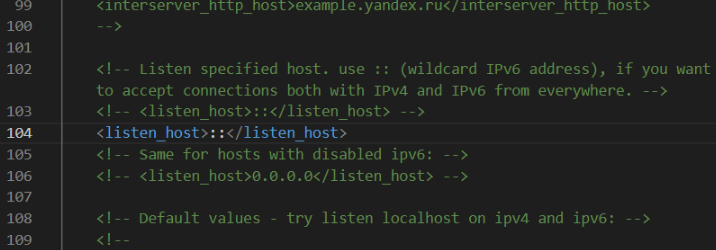
修改后:wq保存
- 7.启动服务
systemctl start clickhouse-server
#关闭开机自启
systemctl disable clickhouse-server - 8.连接服务
#第一种连接
clickhouse-client -m
#第二种连接
clickhouse-client --host=你的IP --port=9000 --user=default --password=你的密码
-m
- 9.基本操作
#查看命令
clickhouse --help
#启动
clickhouse start
#重启
clickhouse restart

命令目录
/usr/bin
配置文件目录
cd /etc/clickhouse-server/
日志目录
cd /var/log/clickhouse-server/
数据文件目录
cd /var/lib/clickhouse/
修改默认密码
1.明文密码
vim /etc/clickhouse-server/users.xml
找到下面的语句,增加明文密码
<password>123456789</password>
重启服务
systemctl restart clickhouse-server

测试登录
clickhouse-client --password
- 10.使用dbeaver连接clickhouse
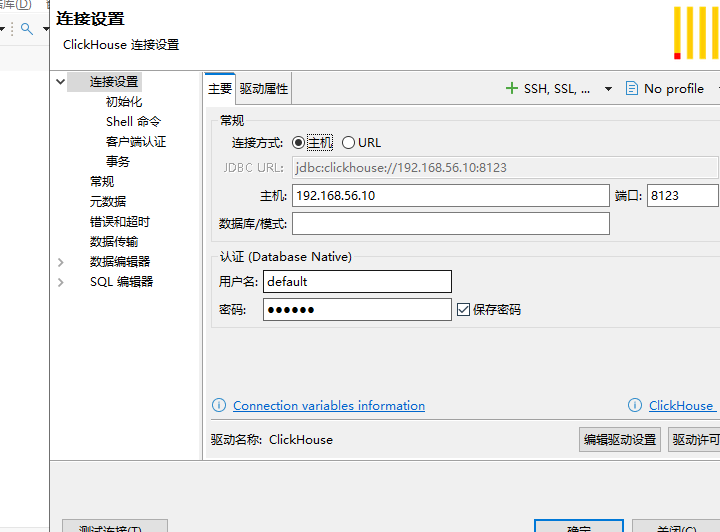
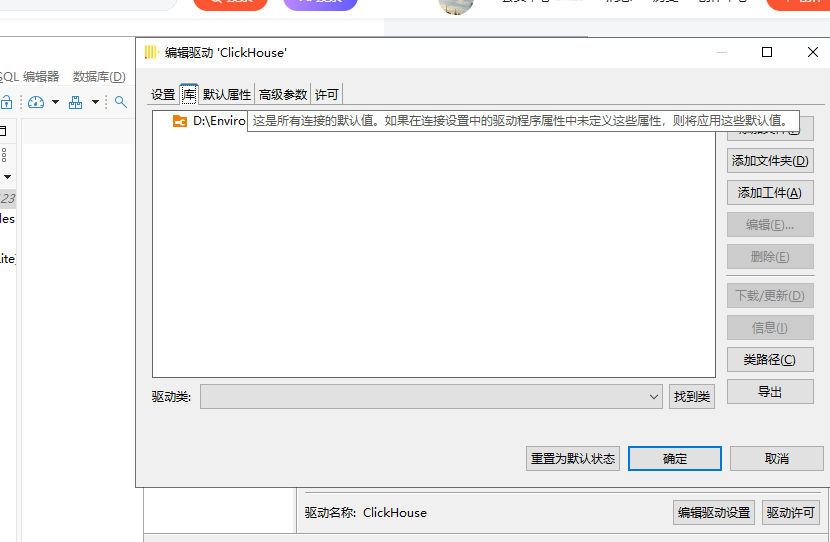
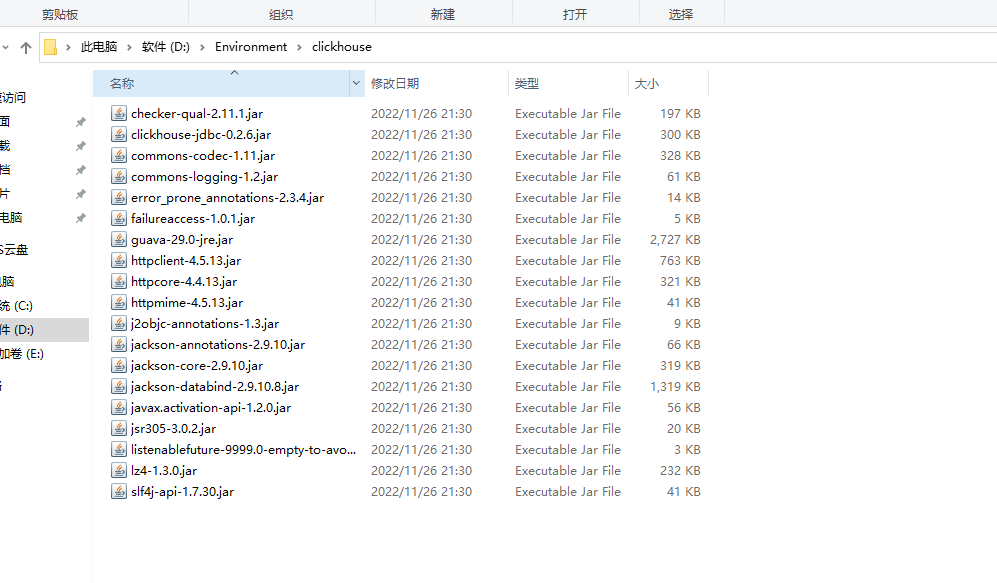
驱动包

码道开发者社区,聚焦华为云码道 CodeArts 代码智能体,沉淀 Agent、Skill、鸿蒙开发实战内容,供开发者查阅资料、交流技术、分享工程实践
更多推荐



 8
8 0
0- 0


 已为社区贡献1条内容

所有评论(0)