若依框架前端通过 nginx docker 镜像本地运行
·
1. 前言
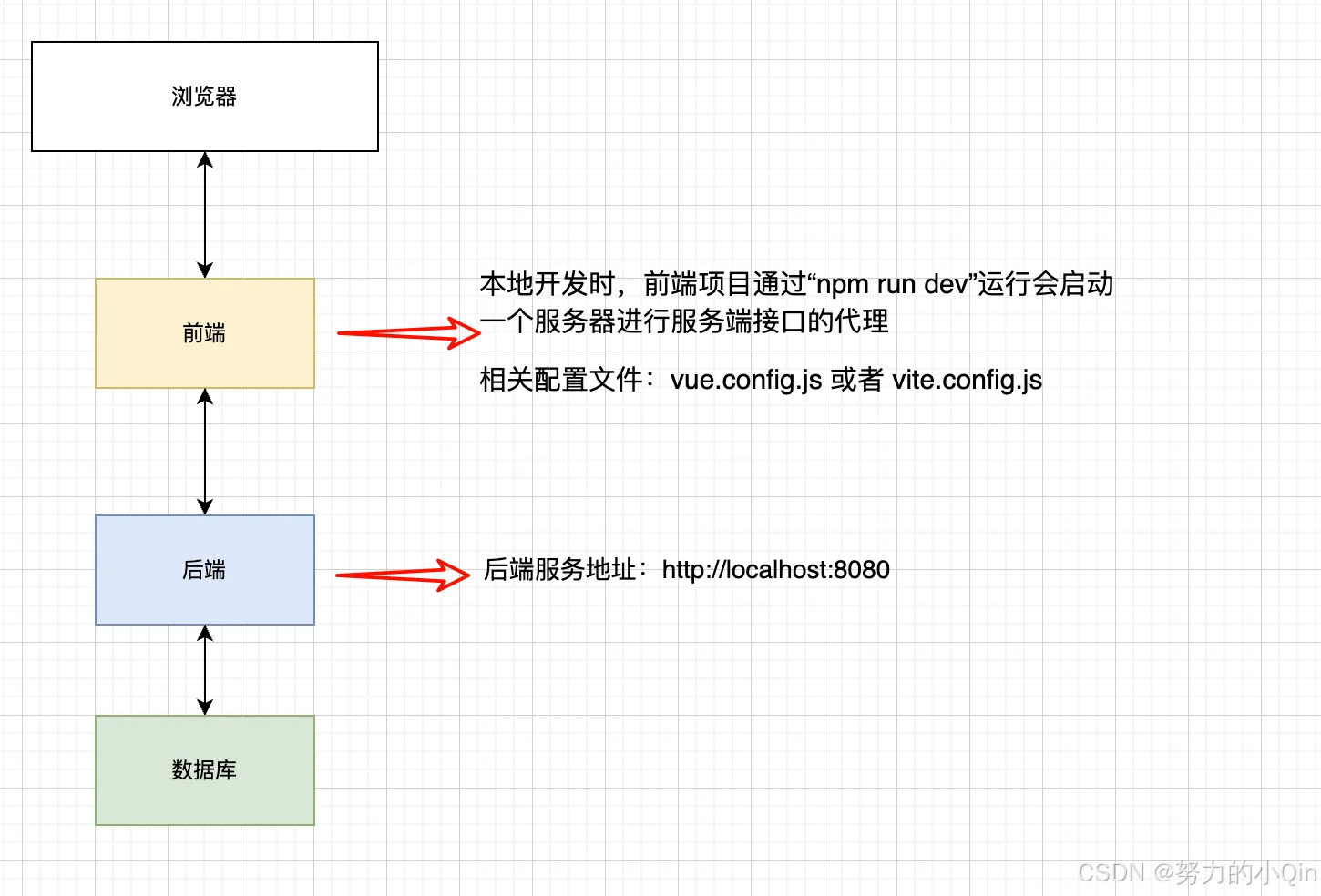
项目运行过程图:
对于前端项目通过命令 npm run build 打包后,无法直接运行。存在如下错误:
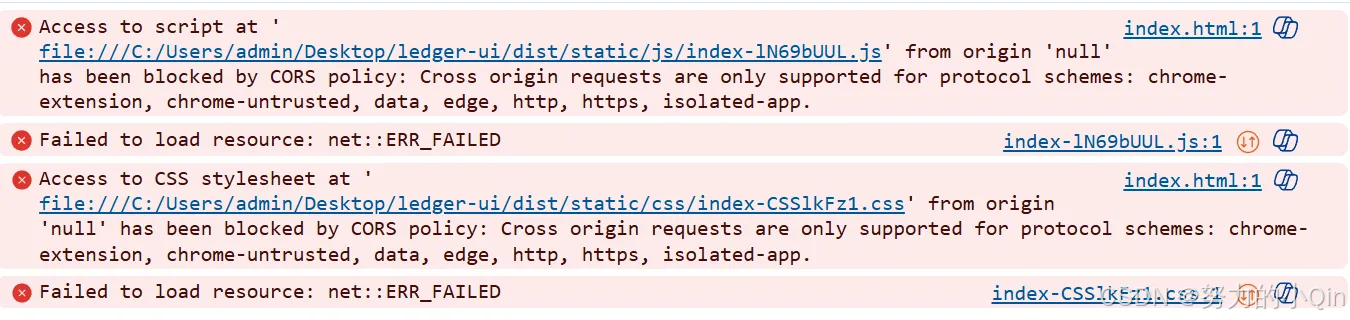
可以通过配置 nginx 服务器运行前端项目解决如上问题。
2. Nginx 运行
采用 docker 镜像的方式运行,docker-compose.yml 文件内容如下:
version: '3'
services:
  nginx:
    image: nginx
    container_name: my-nginx
    extra_hosts:
      - "host.docker.internal:host-gateway"
    ports:
      - "8081:80"
    volumes:
      - ./nginx/conf.d:/etc/nginx/conf.d
      - ./nginx/html:/usr/share/nginx/html
      - ./nginx/logs:/var/log/nginx
此时,nginx 目录下会创建一个新的 nginx 文件夹。
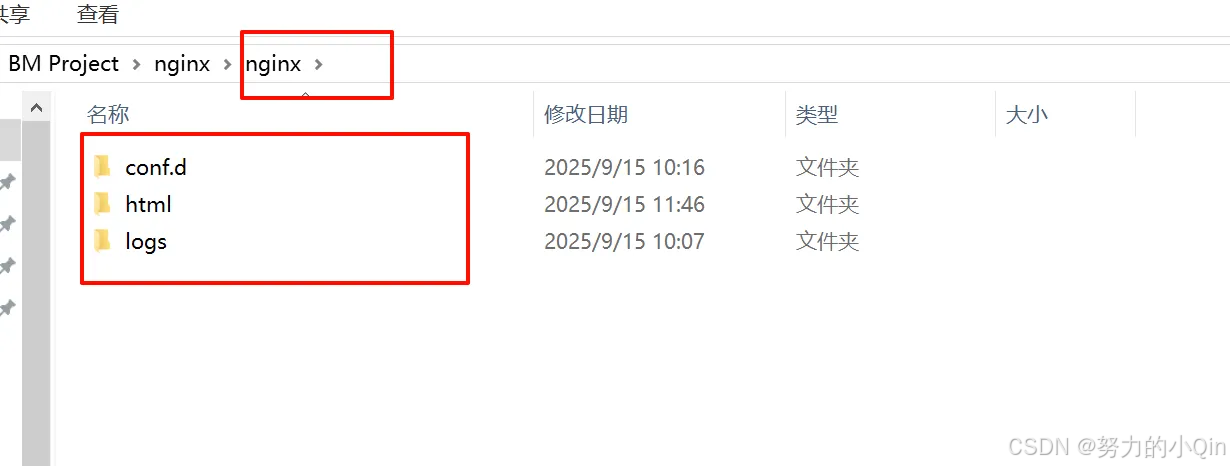
conf.d 文件夹 → nginx 配置文件
html → 前端打包文件
logs → nginx 日志文件
配置文件说明:
extra_hosts 用于在容器内部添加额外的主机名解析记录。配置 host.docker.internal:host-gateway 允许容器通过 host.docker.internal 访问宿主机的服务。
3. Nginx 配置文件
命名必须为***.conf,例如 ruoyi.conf
server {
        listen       80;
        server_name  localhost;
        charset utf-8;

        # 明确指定根目录,确保路径正确
        root /usr/share/nginx/html;
        index index.html index.htm;

        location / {
            # root   html;
            try_files $uri /index.html;
            # index  index.html index.htm;
        }

        # 命名location用于安全地处理SPA回退
        location @spa-fallback {
            rewrite ^ /index.html break; # 使用break防止进一步重写
        }

        location /prod-api/ {
            proxy_set_header Host $http_host;
            proxy_set_header X-Real-IP $remote_addr;
            proxy_set_header REMOTE-HOST $remote_addr;
            proxy_set_header X-Forwarded-For $proxy_add_x_forwarded_for;
            proxy_pass http://host.docker.internal:8080/;
        }

        location /dev-api/ { # 将 prod-api 改为 dev-api
            proxy_set_header Host $http_host;
            proxy_set_header X-Real-IP $remote_addr;
            proxy_set_header REMOTE-HOST $remote_addr;
            proxy_set_header X-Forwarded-For $proxy_add_x_forwarded_for;
            proxy_pass http://host.docker.internal:8080/; # 注意这里的斜杠,它会影响URI传递
        }

        # springdoc proxy
        location ~ ^/v3/api-docs/(.*) {
            proxy_pass http://host.docker.internal:8080/v3/api-docs/$1;
        }

        error_page   500 502 503 504  /50x.html;
        location = /50x.html {
            root   html;
        }
    }
此时在宿主机可以通过http://localhost:8081访问。

码道开发者社区,聚焦华为云码道 CodeArts 代码智能体,沉淀 Agent、Skill、鸿蒙开发实战内容,供开发者查阅资料、交流技术、分享工程实践
更多推荐



 8
8 0
0- 0



 已为社区贡献1条内容

所有评论(0)