微服务时代:API+UI测试不集成 = 埋雷
我们将深入探讨现代Web应用测试中最关键的环节之一:集成API测试与UI自动化测试,以构建健壮的端到端测试套件。
随着应用程序因微服务架构和API驱动的前端而变得日益复杂,孤立测试已不再足够。我们需要确保API正常工作,同时UI也能正确消费和展示来自这些API的数据。让我们探索如何构建全面的测试套件,以验证完整的用户工作流。
为何要结合API与UI测试?
现代Web应用本质上是API的消费者。当用户点击按钮、填写表单或在页面间导航时,幕后会发生多个API调用。单独测试这些交互会忽略关键的集成点——而这些正是常见漏洞的高发区:
孤立测试可能遗漏的常见集成问题:
-
API返回数据,但UI无法处理响应格式
-
UI发送请求,但API期望不同的参数
-
API测试中认证正常,但在UI上下文中失败
-
UI工作流中多个API调用之间的竞态条件
搭建测试基础
让我们从建立测试基础开始。我们将使用Jest作为测试运行器,Axios进行API调用,Puppeteer实现UI自动化:
-
// test-setup.js -
const axios = require('axios'); -
const puppeteer = require('puppeteer'); -
class TestSuite { -
constructor() { -
this.apiClient = axios.create({ -
baseURL: process.env.API_BASE_URL || 'http://localhost:3000/api', -
timeout: 10000 -
}); -
this.browser = null; -
this.page = null; -
this.authToken = null; -
} -
async setupBrowser() { -
this.browser = await puppeteer.launch({ -
headless: process.env.HEADLESS !== 'false', -
args: ['--no-sandbox', '--disable-setuid-sandbox'] -
}); -
this.page = await this.browser.newPage(); -
// Enable request interception for API monitoring -
await this.page.setRequestInterception(true); -
this.setupRequestLogging(); -
} -
setupRequestLogging() { -
this.page.on('request', (request) => { -
if (request.url().includes('/api/')) { -
console.log(`API Request: ${request.method()} ${request.url()}`); -
} -
request.continue(); -
}); -
this.page.on('response', (response) => { -
if (response.url().includes('/api/')) { -
console.log(`✅ API Response: ${response.status()} ${response.url()}`); -
} -
}); -
} -
async teardown() { -
if (this.browser) { -
await this.browser.close(); -
} -
} -
} -
module.exports = TestSuite;
API测试的环境搭建与清理
API/UI集成测试中最大的挑战之一是管理测试数据。我们需要为每个测试创建干净且可预测的数据状态,同时避免并行测试运行之间的冲突:
-
// data-manager.js -
class DataManager { -
constructor(apiClient) { -
this.apiClient = apiClient; -
this.createdResources = []; -
} -
async createTestUser(userData = {}) { -
const defaultUser = { -
email: `test-${Date.now()}@example.com`, -
password: 'TestPassword123!', -
firstName: 'Test', -
lastName: 'User' -
}; -
const user = { ...defaultUser, ...userData }; -
try { -
const response = await this.apiClient.post('/users', user); -
this.createdResources.push({ -
type: 'user', -
id: response.data.id, -
cleanup: () => this.apiClient.delete(`/users/${response.data.id}`) -
}); -
return response.data; -
} catch (error) { -
throw new Error(`Failed to create test user: ${error.message}`); -
} -
} -
async createTestProduct(productData = {}) { -
const defaultProduct = { -
name: `Test Product ${Date.now()}`, -
price: 29.99, -
category: 'electronics', -
inStock: true -
}; -
const product = { ...defaultProduct, ...productData }; -
const response = await this.apiClient.post('/products', product); -
this.createdResources.push({ -
type: 'product', -
id: response.data.id, -
cleanup: () => this.apiClient.delete(`/products/${response.data.id}`) -
}); -
return response.data; -
} -
async cleanup() { -
// Clean up in reverse order to handle dependencies -
for (let i = this.createdResources.length - 1; i >= 0; i--) { -
try { -
await this.createdResources[i].cleanup(); -
console.log(`Cleaned up ${this.createdResources[i].type}: ${this.createdResources[i].id}`); -
} catch (error) { -
console.warn(`Cleanup failed for ${this.createdResources[i].type}: ${error.message}`); -
} -
} -
this.createdResources = []; -
} -
} -
module.exports = DataManager;
认证令牌管理
跨API与UI测试管理认证需要策略性方法。我们需要处理令牌生成、续期,以及不同测试上下文之间的令牌共享:
-
// auth-manager.js -
class AuthManager { -
constructor(apiClient) { -
this.apiClient = apiClient; -
this.tokens = new Map(); -
this.tokenRefreshInterval = null; -
} -
async authenticateUser(email, password) { -
try { -
const response = await this.apiClient.post('/auth/login', { -
email, -
password -
}); -
const { accessToken, refreshToken, expiresIn } = response.data; -
this.tokens.set('access', { -
token: accessToken, -
expiresAt: Date.now() + (expiresIn * 1000) -
}); -
this.tokens.set('refresh', { -
token: refreshToken, -
expiresAt: Date.now() + (7 * 24 * 60 * 60 * 1000) // 7 days -
}); -
// Set default auth header for API client -
this.apiClient.defaults.headers.common['Authorization'] = `Bearer ${accessToken}`; -
// Setup automatic token refresh -
this.setupTokenRefresh(); -
return accessToken; -
} catch (error) { -
throw new Error(`Authentication failed: ${error.message}`); -
} -
} -
async authenticateInBrowser(page, email, password) { -
await page.goto('/login'); -
await page.waitForSelector('#email'); -
await page.type('#email', email); -
await page.type('#password', password); -
// Click login and wait for navigation -
await Promise.all([ -
page.waitForNavigation({ waitUntil: 'networkidle0' }), -
page.click('#loginButton') -
]); -
// Extract token from browser storage or API response -
const token = await page.evaluate(() => { -
return localStorage.getItem('authToken') || -
sessionStorage.getItem('authToken'); -
}); -
if (token) { -
this.tokens.set('browser', { token, expiresAt: Date.now() + 3600000 }); -
} -
return token; -
} -
setupTokenRefresh() { -
if (this.tokenRefreshInterval) { -
clearInterval(this.tokenRefreshInterval); -
} -
this.tokenRefreshInterval = setInterval(async () => { -
const accessToken = this.tokens.get('access'); -
if (accessToken && Date.now() > accessToken.expiresAt - 300000) { // 5 min before expiry -
await this.refreshAccessToken(); -
} -
}, 60000); // Check every minute -
} -
async refreshAccessToken() { -
const refreshToken = this.tokens.get('refresh'); -
if (!refreshToken || Date.now() > refreshToken.expiresAt) { -
throw new Error('Refresh token expired'); -
} -
try { -
const response = await this.apiClient.post('/auth/refresh', { -
refreshToken: refreshToken.token -
}); -
const { accessToken, expiresIn } = response.data; -
this.tokens.set('access', { -
token: accessToken, -
expiresAt: Date.now() + (expiresIn * 1000) -
}); -
this.apiClient.defaults.headers.common['Authorization'] = `Bearer ${accessToken}`; -
console.log('Access token refreshed'); -
} catch (error) { -
console.error('Token refresh failed:', error.message); -
throw error; -
} -
} -
getValidToken() { -
const accessToken = this.tokens.get('access'); -
if (!accessToken || Date.now() > accessToken.expiresAt) { -
throw new Error('No valid access token available'); -
} -
return accessToken.token; -
} -
cleanup() { -
if (this.tokenRefreshInterval) { -
clearInterval(this.tokenRefreshInterval); -
} -
this.tokens.clear(); -
} -
} -
module.exports = AuthManager;
API与UI测试间的数据一致性保障
确保数据一致性是可靠测试的关键。我们需要建立机制,验证通过API创建的数据是否在UI中正确展示,反之亦然:
-
// consistency-validator.js -
class ConsistencyValidator { -
constructor(apiClient, page) { -
this.apiClient = apiClient; -
this.page = page; -
} -
async validateUserProfile(userId) { -
// Get user data from API -
const apiResponse = await this.apiClient.get(`/users/${userId}`); -
const apiUser = apiResponse.data; -
// Navigate to user profile in UI -
await this.page.goto(`/profile/${userId}`); -
await this.page.waitForSelector('.profile-container'); -
// Extract user data from UI -
const uiUser = await this.page.evaluate(() => { -
return { -
firstName: document.querySelector('#firstName')?.textContent?.trim(), -
lastName: document.querySelector('#lastName')?.textContent?.trim(), -
email: document.querySelector('#email')?.textContent?.trim(), -
avatar: document.querySelector('#avatar')?.src -
}; -
}); -
// Validate consistency -
const inconsistencies = []; -
if (apiUser.firstName !== uiUser.firstName) { -
inconsistencies.push(`First name mismatch: API="${apiUser.firstName}", UI="${uiUser.firstName}"`); -
} -
if (apiUser.lastName !== uiUser.lastName) { -
inconsistencies.push(`Last name mismatch: API="${apiUser.lastName}", UI="${uiUser.lastName}"`); -
} -
if (apiUser.email !== uiUser.email) { -
inconsistencies.push(`Email mismatch: API="${apiUser.email}", UI="${uiUser.email}"`); -
} -
if (inconsistencies.length > 0) { -
throw new Error(`Data consistency validation failed:\n${inconsistencies.join('\n')}`); -
} -
return { apiUser, uiUser, consistent: true }; -
} -
async validateProductListing() { -
// Get products from API -
const apiResponse = await this.apiClient.get('/products?limit=10'); -
const apiProducts = apiResponse.data.products; -
// Get products from UI -
await this.page.goto('/products'); -
await this.page.waitForSelector('.product-grid'); -
const uiProducts = await this.page.evaluate(() => { -
const productElements = document.querySelectorAll('.product-card'); -
return Array.from(productElements).map(el => ({ -
id: el.dataset.productId, -
name: el.querySelector('.product-name')?.textContent?.trim(), -
price: parseFloat(el.querySelector('.product-price')?.textContent?.replace(/[^\d.]/g, '')), -
inStock: !el.classList.contains('out-of-stock') -
})); -
}); -
// Validate each product -
for (const apiProduct of apiProducts) { -
const uiProduct = uiProducts.find(p => p.id === apiProduct.id.toString()); -
if (!uiProduct) { -
throw new Error(`Product ${apiProduct.id} found in API but not in UI`); -
} -
if (apiProduct.name !== uiProduct.name) { -
throw new Error(`Product name mismatch for ID ${apiProduct.id}: API="${apiProduct.name}", UI="${uiProduct.name}"`); -
} -
if (Math.abs(apiProduct.price - uiProduct.price) > 0.01) { -
throw new Error(`Product price mismatch for ID ${apiProduct.id}: API=${apiProduct.price}, UI=${uiProduct.price}`); -
} -
} -
return { apiProducts, uiProducts, consistent: true }; -
} -
} -
module.exports = ConsistencyValidator;
响应验证模式
健壮的响应验证可确保API响应与UI行为均符合预期。我们来创建可复用的验证模式:
-
// response-validator.js -
class ResponseValidator { -
static validateApiResponse(response, schema) { -
if (!response) { -
throw new Error('Response is null or undefined'); -
} -
if (!response.data) { -
throw new Error('Response missing data property'); -
} -
return this.validateSchema(response.data, schema); -
} -
static validateSchema(data, schema) { -
const errors = []; -
for (const [key, rules] of Object.entries(schema)) { -
const value = data[key]; -
if (rules.required && (value === undefined || value === null)) { -
errors.push(`Missing required field: ${key}`); -
continue; -
} -
if (value !== undefined && value !== null) { -
if (rules.type && typeof value !== rules.type) { -
errors.push(`Field ${key} should be ${rules.type}, got ${typeof value}`); -
} -
if (rules.minLength && value.length < rules.minLength) { -
errors.push(`Field ${key} should have minimum length ${rules.minLength}`); -
} -
if (rules.pattern && !rules.pattern.test(value)) { -
errors.push(`Field ${key} doesn't match required pattern`); -
} -
if (rules.validator && !rules.validator(value)) { -
errors.push(`Field ${key} failed custom validation`); -
} -
} -
} -
if (errors.length > 0) { -
throw new Error(`Schema validation failed:\n${errors.join('\n')}`); -
} -
return true; -
} -
static async validateUiResponse(page, selector, expectedData) { -
await page.waitForSelector(selector, { timeout: 10000 }); -
const actualData = await page.evaluate((sel) => { -
const element = document.querySelector(sel); -
if (!element) return null; -
// Handle different types of UI elements -
if (element.tagName === 'INPUT') { -
return element.value; -
} else if (element.tagName === 'TABLE') { -
const rows = element.querySelectorAll('tbody tr'); -
return Array.from(rows).map(row => { -
const cells = row.querySelectorAll('td'); -
return Array.from(cells).map(cell => cell.textContent.trim()); -
}); -
} else { -
return element.textContent.trim(); -
} -
}, selector); -
if (JSON.stringify(actualData) !== JSON.stringify(expectedData)) { -
throw new Error(`UI validation failed. Expected: ${JSON.stringify(expectedData)}, Got: ${JSON.stringify(actualData)}`); -
} -
return true; -
} -
} -
// Usage schemas -
const USER_SCHEMA = { -
id: { required: true, type: 'number' }, -
email: { required: true, type: 'string', pattern: /^[^\s@]+@[^\s@]+\.[^\s@]+$/ }, -
firstName: { required: true, type: 'string', minLength: 1 }, -
lastName: { required: true, type: 'string', minLength: 1 }, -
createdAt: { required: true, type: 'string' } -
}; -
const PRODUCT_SCHEMA = { -
id: { required: true, type: 'number' }, -
name: { required: true, type: 'string', minLength: 1 }, -
price: { required: true, type: 'number', validator: (val) => val > 0 }, -
category: { required: true, type: 'string' }, -
inStock: { required: true, type: 'boolean' } -
}; -
module.exports = { ResponseValidator, USER_SCHEMA, PRODUCT_SCHEMA };
模拟与桩策略
有时我们需要控制API响应以测试特定的UI行为。以下是实现灵活模拟的方法:
-
// mock-manager.js -
class MockManager { -
constructor(page) { -
this.page = page; -
this.mocks = new Map(); -
this.isInterceptionEnabled = false; -
} -
async enableInterception() { -
if (!this.isInterceptionEnabled) { -
await this.page.setRequestInterception(true); -
this.page.on('request', this.handleRequest.bind(this)); -
this.isInterceptionEnabled = true; -
} -
} -
async mockApiEndpoint(pattern, response, options = {}) { -
await this.enableInterception(); -
this.mocks.set(pattern, { -
response, -
status: options.status || 200, -
delay: options.delay || 0, -
headers: options.headers || { 'Content-Type': 'application/json' } -
}); -
} -
async mockUserEndpoint(userId, userData) { -
await this.mockApiEndpoint( -
new RegExp(`/api/users/${userId}$`), -
userData, -
{ status: 200 } -
); -
} -
async mockErrorResponse(pattern, status = 500, message = 'Internal Server Error') { -
await this.mockApiEndpoint( -
pattern, -
{ error: message }, -
{ status } -
); -
} -
async simulateNetworkDelay(pattern, delay) { -
await this.mockApiEndpoint( -
pattern, -
null, // Will use original response -
{ delay } -
); -
} -
handleRequest(request) { -
const url = request.url(); -
let matchedMock = null; -
// Find matching mock -
for (const [pattern, mock] of this.mocks.entries()) { -
if (pattern instanceof RegExp && pattern.test(url)) { -
matchedMock = mock; -
break; -
} else if (typeof pattern === 'string' && url.includes(pattern)) { -
matchedMock = mock; -
break; -
} -
} -
if (matchedMock) { -
setTimeout(() => { -
request.respond({ -
status: matchedMock.status, -
headers: matchedMock.headers, -
body: matchedMock.response ? JSON.stringify(matchedMock.response) : undefined -
}); -
}, matchedMock.delay); -
} else { -
request.continue(); -
} -
} -
clearMocks() { -
this.mocks.clear(); -
} -
async disable() { -
this.clearMocks(); -
if (this.isInterceptionEnabled) { -
await this.page.setRequestInterception(false); -
this.isInterceptionEnabled = false; -
} -
} -
} -
module.exports = MockManager;
整合实践:完整测试示例
现在让我们看看所有这些组件如何在一个全面的测试中协同工作:
-
// integration-test.spec.js -
const TestSuite = require('./test-setup'); -
const DataManager = require('./data-manager'); -
const AuthManager = require('./auth-manager'); -
const ConsistencyValidator = require('./consistency-validator'); -
const MockManager = require('./mock-manager'); -
const { ResponseValidator, USER_SCHEMA, PRODUCT_SCHEMA } = require('./response-validator'); -
describe('User Shopping Journey Integration Tests', () => { -
let testSuite, dataManager, authManager, validator, mockManager; -
let testUser, testProduct; -
beforeAll(async () => { -
testSuite = new TestSuite(); -
await testSuite.setupBrowser(); -
dataManager = new DataManager(testSuite.apiClient); -
authManager = new AuthManager(testSuite.apiClient); -
validator = new ConsistencyValidator(testSuite.apiClient, testSuite.page); -
mockManager = new MockManager(testSuite.page); -
}); -
afterAll(async () => { -
await dataManager.cleanup(); -
authManager.cleanup(); -
await mockManager.disable(); -
await testSuite.teardown(); -
}); -
beforeEach(async () => { -
// Create fresh test data for each test -
testUser = await dataManager.createTestUser(); -
testProduct = await dataManager.createTestProduct(); -
}); -
test('Complete user registration and product purchase flow', async () => { -
// Step 1: Register user via API and validate response -
const registrationResponse = await testSuite.apiClient.post('/users/register', { -
email: testUser.email, -
password: testUser.password, -
firstName: testUser.firstName, -
lastName: testUser.lastName -
}); -
ResponseValidator.validateApiResponse(registrationResponse, USER_SCHEMA); -
// Step 2: Login via UI -
const token = await authManager.authenticateInBrowser( -
testSuite.page, -
testUser.email, -
testUser.password -
); -
expect(token).toBeTruthy(); -
// Step 3: Validate user profile consistency -
const profileValidation = await validator.validateUserProfile(testUser.id); -
expect(profileValidation.consistent).toBe(true); -
// Step 4: Browse products -
await testSuite.page.goto('/products'); -
await testSuite.page.waitForSelector('.product-grid'); -
// Validate product listing consistency -
const productValidation = await validator.validateProductListing(); -
expect(productValidation.consistent).toBe(true); -
// Step 5: Add product to cart via UI -
await testSuite.page.click(`[data-product-id="${testProduct.id}"] .add-to-cart`); -
await testSuite.page.waitForSelector('.cart-notification'); -
// Step 6: Validate cart via API -
const cartResponse = await testSuite.apiClient.get('/cart'); -
expect(cartResponse.data.items).toHaveLength(1); -
expect(cartResponse.data.items[0].productId).toBe(testProduct.id); -
// Step 7: Complete checkout flow -
await testSuite.page.goto('/checkout'); -
await testSuite.page.waitForSelector('#checkout-form'); -
// Fill checkout form -
await testSuite.page.type('#address', '123 Test Street'); -
await testSuite.page.type('#city', 'Test City'); -
await testSuite.page.type('#zipCode', '12345'); -
// Submit order -
await Promise.all([ -
testSuite.page.waitForSelector('.order-confirmation'), -
testSuite.page.click('#submit-order') -
]); -
// Step 8: Validate order via API -
const ordersResponse = await testSuite.apiClient.get('/orders'); -
expect(ordersResponse.data.orders).toHaveLength(1); -
const order = ordersResponse.data.orders[0]; -
expect(order.status).toBe('pending'); -
expect(order.items[0].productId).toBe(testProduct.id); -
}); -
test('Handle API errors gracefully in UI', async () => { -
// Mock API error for product loading -
await mockManager.mockErrorResponse(/\/api\/products/, 500, 'Database connection failed'); -
await testSuite.page.goto('/products'); -
// Verify error handling in UI -
await testSuite.page.waitForSelector('.error-message'); -
const errorText = await testSuite.page.$eval('.error-message', el => el.textContent); -
expect(errorText).toContain('Unable to load products'); -
}); -
test('Handle slow API responses', async () => { -
// Simulate slow API response -
await mockManager.simulateNetworkDelay(/\/api\/products/, 3000); -
const startTime = Date.now(); -
await testSuite.page.goto('/products'); -
// Verify loading state is shown -
await testSuite.page.waitForSelector('.loading-spinner'); -
// Wait for products to load -
await testSuite.page.waitForSelector('.product-grid', { timeout: 5000 }); -
const loadTime = Date.now() - startTime; -
expect(loadTime).toBeGreaterThan(2900); // Accounting for some variance -
}); -
}
高级集成模式
对于复杂应用,可能需要更精密的集成模式:
-
// advanced-integration.js -
class AdvancedIntegration { -
constructor(testSuite) { -
this.testSuite = testSuite; -
this.apiCallLog = []; -
this.setupApiMonitoring(); -
} -
setupApiMonitoring() { -
// Monitor all API calls made by the UI -
this.testSuite.page.on('response', (response) => { -
if (response.url().includes('/api/')) { -
this.apiCallLog.push({ -
url: response.url(), -
status: response.status(), -
timestamp: Date.now(), -
method: response.request().method() -
}); -
} -
}); -
} -
async validateApiCallSequence(expectedSequence) { -
const actualSequence = this.apiCallLog.map(call => ({ -
method: call.method, -
endpoint: call.url.split('/api/')[1].split('?')[0] // Extract endpoint -
})); -
expect(actualSequence).toEqual(expectedSequence); -
} -
async testRaceConditions() { -
// Navigate to page that makes multiple concurrent API calls -
await this.testSuite.page.goto('/dashboard'); -
// Wait for all API calls to complete -
await this.testSuite.page.waitForFunction( -
() => document.querySelector('.loading') === null, -
{ timeout: 10000 } -
); -
// Validate that all expected API calls were made -
const concurrentCalls = this.apiCallLog.filter(call => -
Math.abs(call.timestamp - this.apiCallLog[0].timestamp) < 1000 -
); -
expect(concurrentCalls.length).toBeGreaterThan(1); -
} -
clearApiLog() { -
this.apiCallLog = []; -
} -
}
最佳实践与常见陷阱
建议做法:
-
每次测试后务必清理测试数据
-
为测试数据使用唯一标识符以避免冲突
-
为API和UI操作实现恰当的错误处理
-
同时验证API响应与UI状态
-
使用匹配生产场景的真实测试数据
避免做法:
-
不要依赖硬编码延迟——使用合适的等待条件
-
不要在测试间共享可变测试数据
-
不要忽视认证令牌的过期问题
-
不要仅测试正向路径——包含错误场景
-
不要忘记验证API与UI间的数据一致性
结语
将API测试与UI自动化集成可形成强大的测试策略,用于验证应用的完整用户工作流。通过结合直接API验证与UI行为校验,你能捕获孤立测试可能遗漏的集成漏洞。
我们覆盖的关键组件——恰当的环境搭建/清理、认证管理、数据一致性验证、响应验证模式和策略性模拟——共同构成可靠且可维护的测试套件,让你对应用的端到端功能充满信心。
请记住,集成测试比单元测试更复杂且耗时,因此需策略性地使用它们,以覆盖关键用户旅程,同时维持平衡的测试金字塔结构。
感谢每一个认真阅读我文章的人,礼尚往来总是要有的,虽然不是什么很值钱的东西,如果你用得到的话可以直接拿走:
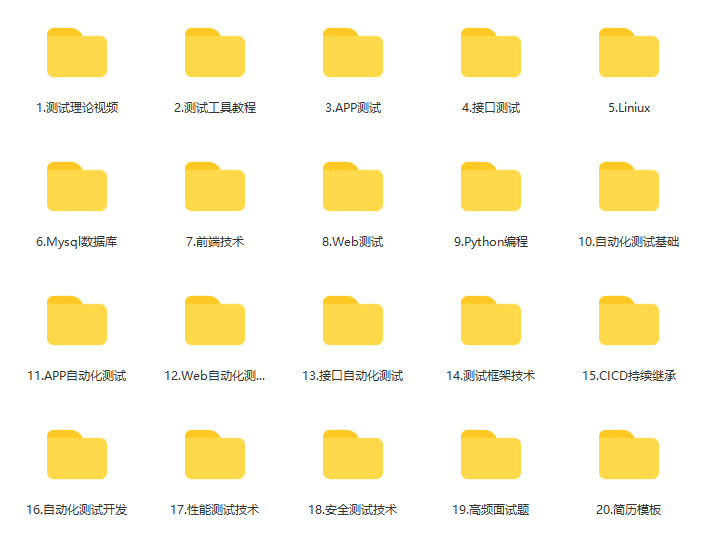
这些资料,对于【软件测试】的朋友来说应该是最全面最完整的备战仓库,这个仓库也陪伴上万个测试工程师们走过最艰难的路程,希望也能帮助到你!有需要的小伙伴可以点击下方小卡片领取

码道开发者社区,聚焦华为云码道 CodeArts 代码智能体,沉淀 Agent、Skill、鸿蒙开发实战内容,供开发者查阅资料、交流技术、分享工程实践
更多推荐



 13
13 0
0- 0


 已为社区贡献5条内容

所有评论(0)