Docker nginx容器部署前端项目。
·
worker_processes  1;

events {
    worker_connections  1024;
}

http {
    include       mime.types;
    default_type  application/json;

    sendfile        on;

    keepalive_timeout  65;

    server {
        listen       18080;
        # 指定前端项目所在的位置
        location / {
            root /usr/share/nginx/html/hmall-portal;
        }

        error_page   500 502 503 504  /50x.html;
        location = /50x.html {
            root   html;
        }
        location /api {
            rewrite /api/(.*)  /$1 break;
            proxy_pass http://hm:8080;
        }
    }
    server {
        listen       18081;
        # 指定前端项目所在的位置
        location / {
            root /usr/share/nginx/html/hmall-admin;
        }

        error_page   500 502 503 504  /50x.html;
        location = /50x.html {
            root   html;
        }
        location /api {
            rewrite /api/(.*)  /$1 break;
            proxy_pass http://hm:8080;
        }
    }
}
1。上面是nginx的配置文件,hm是网络的名称。 /usr/share/nginx/html 是nginx容器内部文件的地址。
2.上传文件到服务器,并且启动的时候,做数据卷映射
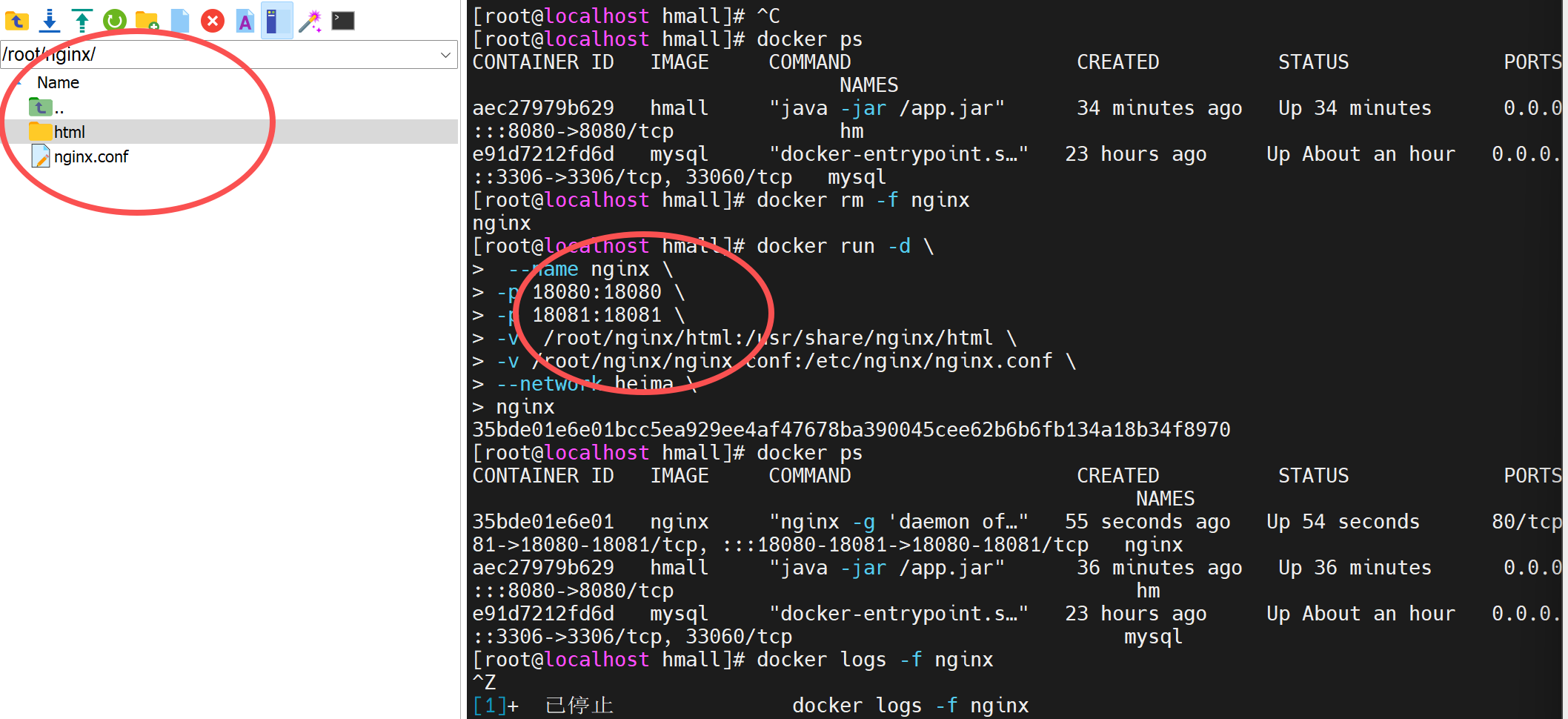
3.启动命令
docker run -d \
 --name nginx \
-p 18080:18080 \
-p 18081:18081 \
-v  /root/nginx/html:/usr/share/nginx/html \
-v /root/nginx/nginx.conf:/etc/nginx/nginx.conf \
--network heima \
nginx
这里部署了两个前端项目,所以进行两个端口映射18080和18081
然后配置文件和前端文件都需要数据卷映射。

码道开发者社区,聚焦华为云码道 CodeArts 代码智能体,沉淀 Agent、Skill、鸿蒙开发实战内容,供开发者查阅资料、交流技术、分享工程实践
更多推荐



 1
1 0
0- 0


 已为社区贡献5条内容

所有评论(0)