Error downloading packages: docker-compose-plugin-2.27.1-1.el7.x86_64: [Errno 256] No more mirrors
·
解决
Error downloading packages:
docker-compose-plugin-2.27.1-1.el7.x86_64: [Errno 256] No more mirrors to try
这个是 VMware17 虚拟机中 CentOS7 下载docker时出现的问题
不知道是因为什么,但是用下面的方法解决了,最后下载成功了
结果
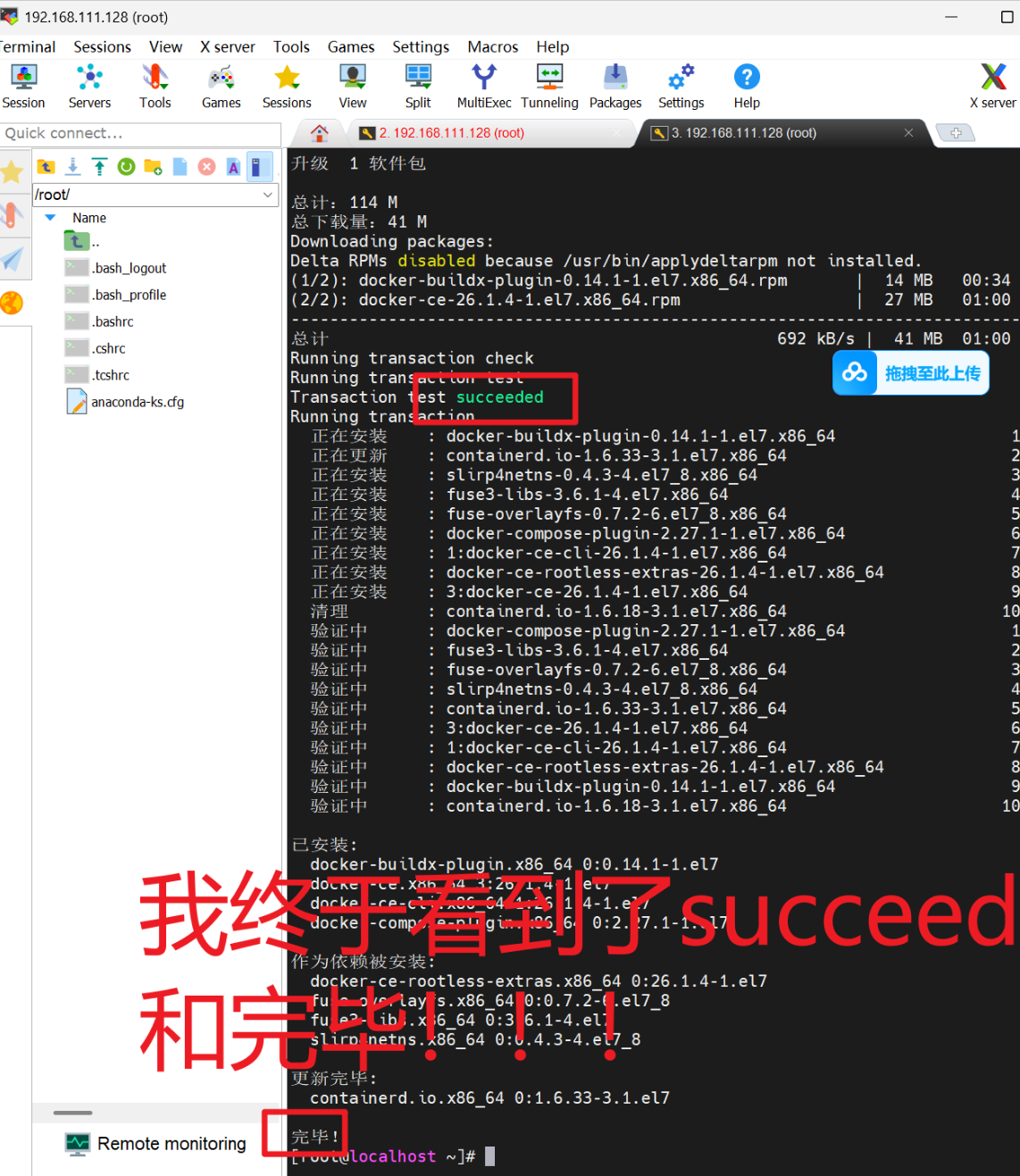
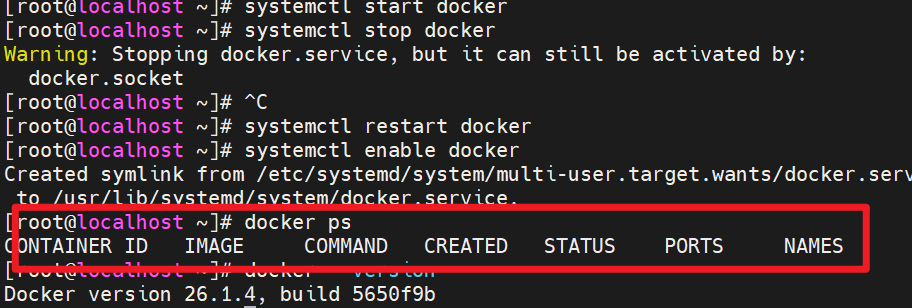
启动没有报错
解决方法
- 进入文件
sudo vi /etc/yum.repos.d/CentOS-Base.repo
我的文件内容如下,把下面的粘贴进自己的文件
建议大家先复制自己当前的保存,虚拟机左键选中即复制
- 文件界面 摁 i 可进行修改文件
- 先摁 Esc (可以多摁几次观察),界面不显示INSERT以后就是命令模式,输入
:q!命令是不保存修改退出;输入:wq命令是保存当前修改并退出
# CentOS-Base.repo
#
# The mirror system uses the connecting IP address of the client and the
# update status of each mirror to pick mirrors that are updated to and
# geographically close to the client.  You should use this for CentOS updates
# unless you are manually picking other mirrors.
#
# If the mirrorlist= does not work for you, as a fall back you can try the
# remarked out baseurl= line instead.
#
#

[base]
name=CentOS-$releasever - Base
#mirrorlist=http://mirrorlist.centos.org/?release=$releasever&arch=$basearch&repo=os&infra=$infra
baseurl=http://mirrors.aliyun.com/centos/$releasever/os/$basearch/
gpgcheck=1
gpgkey=file:///etc/pki/rpm-gpg/RPM-GPG-KEY-CentOS-7

#released updates
[updates]
name=CentOS-$releasever - Updates
#mirrorlist=http://mirrorlist.centos.org/?release=$releasever&arch=$basearch&repo=updates&infra=$infra
baseurl=http://mirrors.aliyun.com/centos/$releasever/updates/$basearch/
gpgcheck=1
gpgkey=file:///etc/pki/rpm-gpg/RPM-GPG-KEY-CentOS-7

#additional packages that may be useful
[extras]
name=CentOS-$releasever - Extras
#mirrorlist=http://mirrorlist.centos.org/?release=$releasever&arch=$basearch&repo=extras&infra=$infra
baseurl=http://mirrors.aliyun.com/centos/$releasever/extras/$basearch/
gpgcheck=1
gpgkey=file:///etc/pki/rpm-gpg/RPM-GPG-KEY-CentOS-7

#additional packages that extend functionality of existing packages
[centosplus]
name=CentOS-$releasever - Plus
#mirrorlist=http://mirrorlist.centos.org/?release=$releasever&arch=$basearch&repo=centosplus&infra=$infra
baseurl=http://mirrors.aliyun.com/centos/$releasever/centosplus/$basearch/
gpgcheck=1
enabled=0
gpgkey=file:///etc/pki/rpm-gpg/RPM-GPG-KEY-CentOS-7
复制完以后 Esc 输入 :wq保存并退出回到命令行界面
- 安装yum工具
sudo yum install -y yum-utils device-mapper-persistent-data lvm2
- 添加阿里云 Docker 源(推荐国内用户,速度更快)
sudo yum-config-manager --add-repo https://mirrors.aliyun.com/docker-ce/linux/centos/docker-ce.repo
- 生成缓存(加速后续安装)
sudo yum makecache fast
- 安装Docker组件
sudo yum install -y docker-ce docker-ce-cli containerd.io docker-buildx-plugin docker-compose-plugin
- 启动和校验
# 启动Docker
sudo systemctl start docker

# 停止Docker
sudo systemctl stop docker

# 重启
systemctl restart docker

# 设置开机自启
systemctl enable docker

# 验证 Docker 版本
docker --version

# 验证 docker-compose 插件是否安装成功
docker compose version

# 执行docker ps命令,如果不报错,说明安装启动成功
docker ps
以上命令输完,就已经在虚拟机安装好dockers,校验完毕

码道开发者社区,聚焦华为云码道 CodeArts 代码智能体,沉淀 Agent、Skill、鸿蒙开发实战内容,供开发者查阅资料、交流技术、分享工程实践
更多推荐



 9
9 0
0- 0


 已为社区贡献1条内容

所有评论(0)