S32DS报错:fatal error - cygheap base mismatch detected - 0x12D5408/0x12F5408.
·
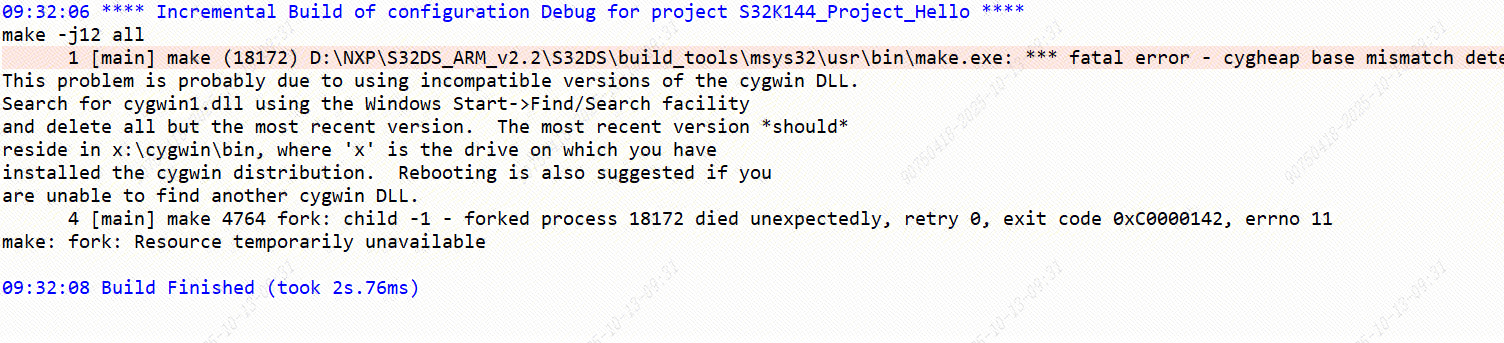
- Open project properties in S32DS.
- Presently this needs to be done for all projects that are affected (which is anything built in S32DS managed make context).
- Expand C/C++ Build and select Environment.
- Select the PATH variable and click the Edit... button.
- Pre-pend the path to external directory (outside of S32DS installation) containing make.exe, for example I installed a separate instance of msys64 which includes make.exe at the default path of: C:\msys64\usr\bin.
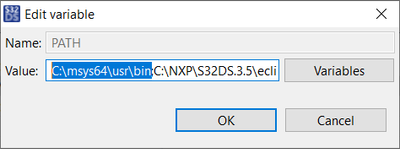
- Click OK then Apply and Close.
- Attempt to repeat the build or clean operation and it should now work.
- my path is C:\Software\msys64\usr\bin;

码道开发者社区,聚焦华为云码道 CodeArts 代码智能体,沉淀 Agent、Skill、鸿蒙开发实战内容,供开发者查阅资料、交流技术、分享工程实践
更多推荐



 1
1 0
0- 0


 已为社区贡献2条内容

所有评论(0)