Docker 镜像仓库公有仓库部署实例
·
Docker 镜像仓库公有仓库部署实例
docker hub仓库
Docker Hub是Docker公司维护的公共Registry。用户可以将自己的镜像保存到Docker Hub免费的 repository 中。如果不希望别人访问自己的镜像,也可以购买私有repository
1. 注册账号
访问 https://hub.docker.com/ 注册 Docker ID。(国内无法访问)
2. 登录 Docker Hub
[root@docker ~]# docker login
 Login with your Docker ID to push and pull images...
 Username:     //用户名
 Password:    //密码
 WARNING! Your password will be stored unencrypted in/root/.docker/config.json.Configure a credential helper to remove this warning. See https://docs.docker.com/engine/reference/commandline/login/#credentials-store Login Succeeded
3、重命名镜像
Docker Hub为了区分不同用户的同名镜像,镜像名中要包含用户名,完整格式为username/xxx:tag,通过docker tag命令重命名镜像名字。
docker tag centos:7 cyisbug/centos:7
4. 推送镜像到 Docker Hub
docker push cyisbug/centos:7
5. 查看与管理镜像
- 登录 Docker Hub 在 Public Repository 中查看镜像。
- 删除镜像需在 Web 界面操作。
阿里云公有仓库
因为国内无法用docker hub所以得使用国内的仓库服务以下用阿里云为例
1. 创建镜像仓库
-
登录 阿里云官网https://www.aliyun.com/
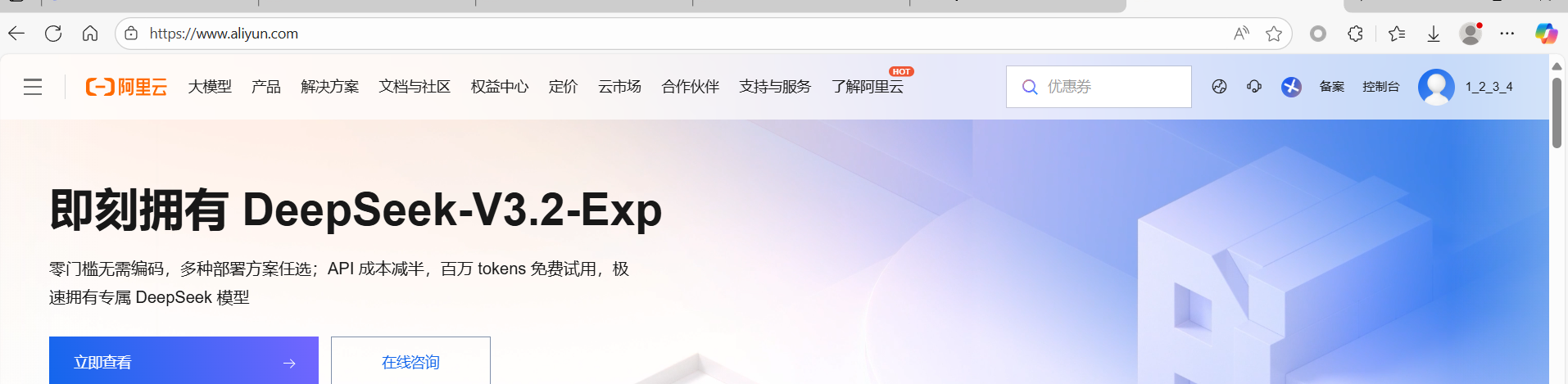
点击左上进入控制台
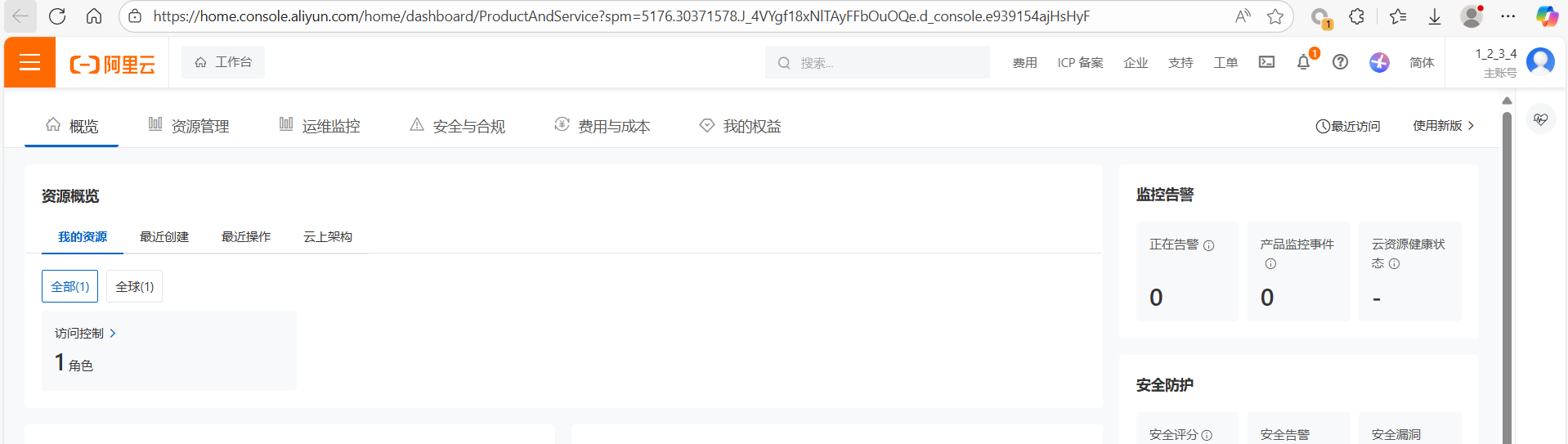
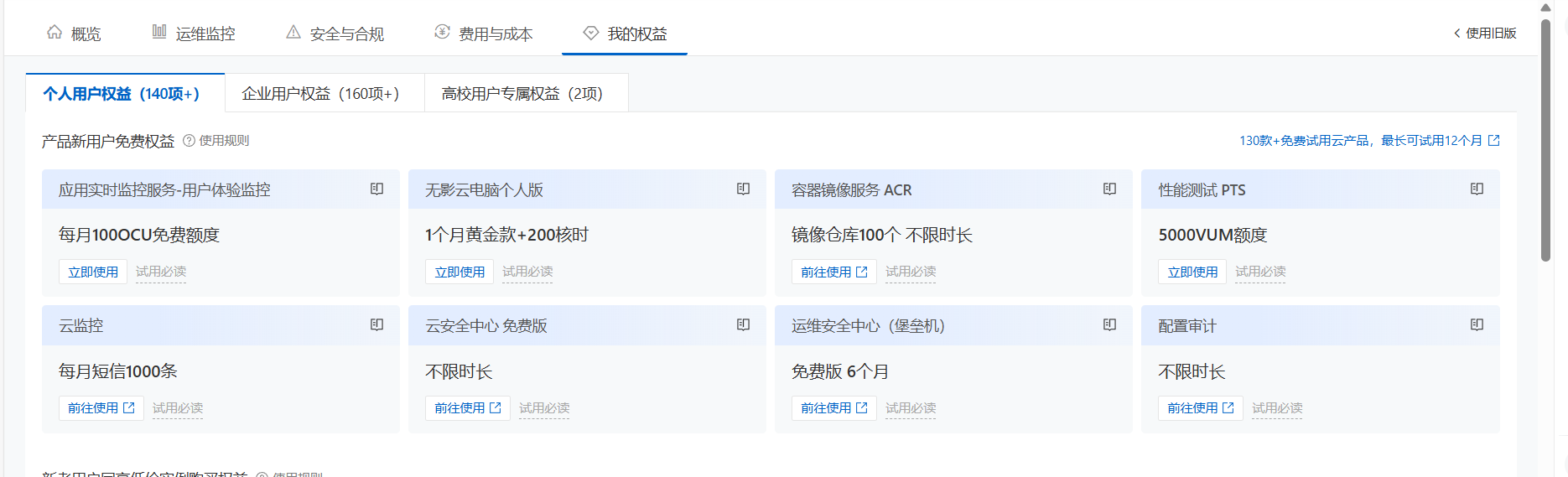
点开我的权益找到容器镜像服务 ACR
创建个人实例
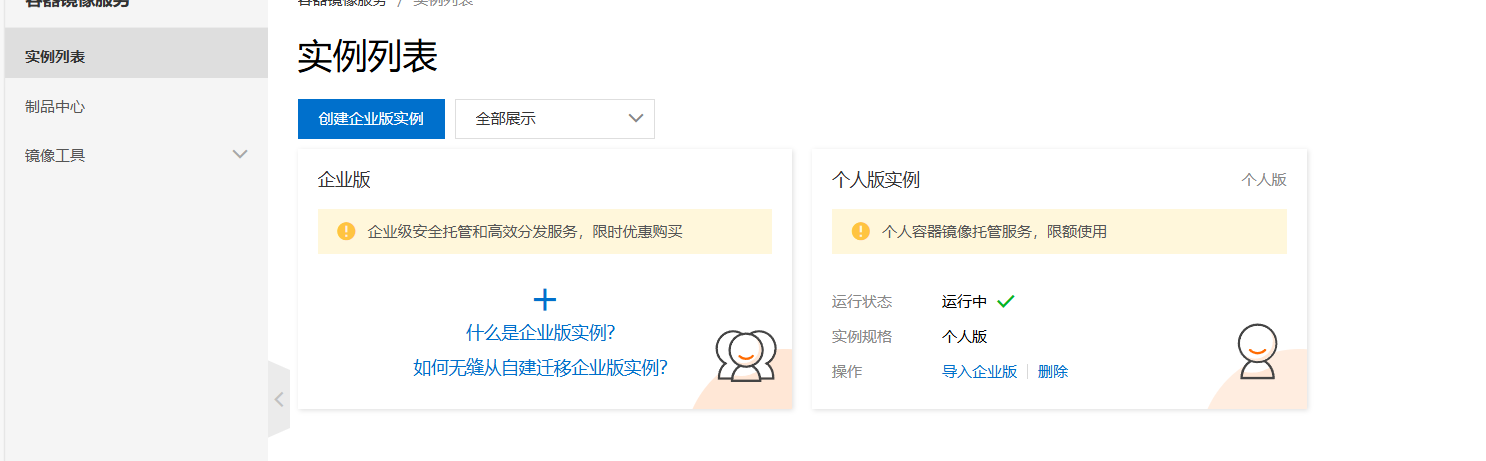
创建后点开创建命名空间和仓库
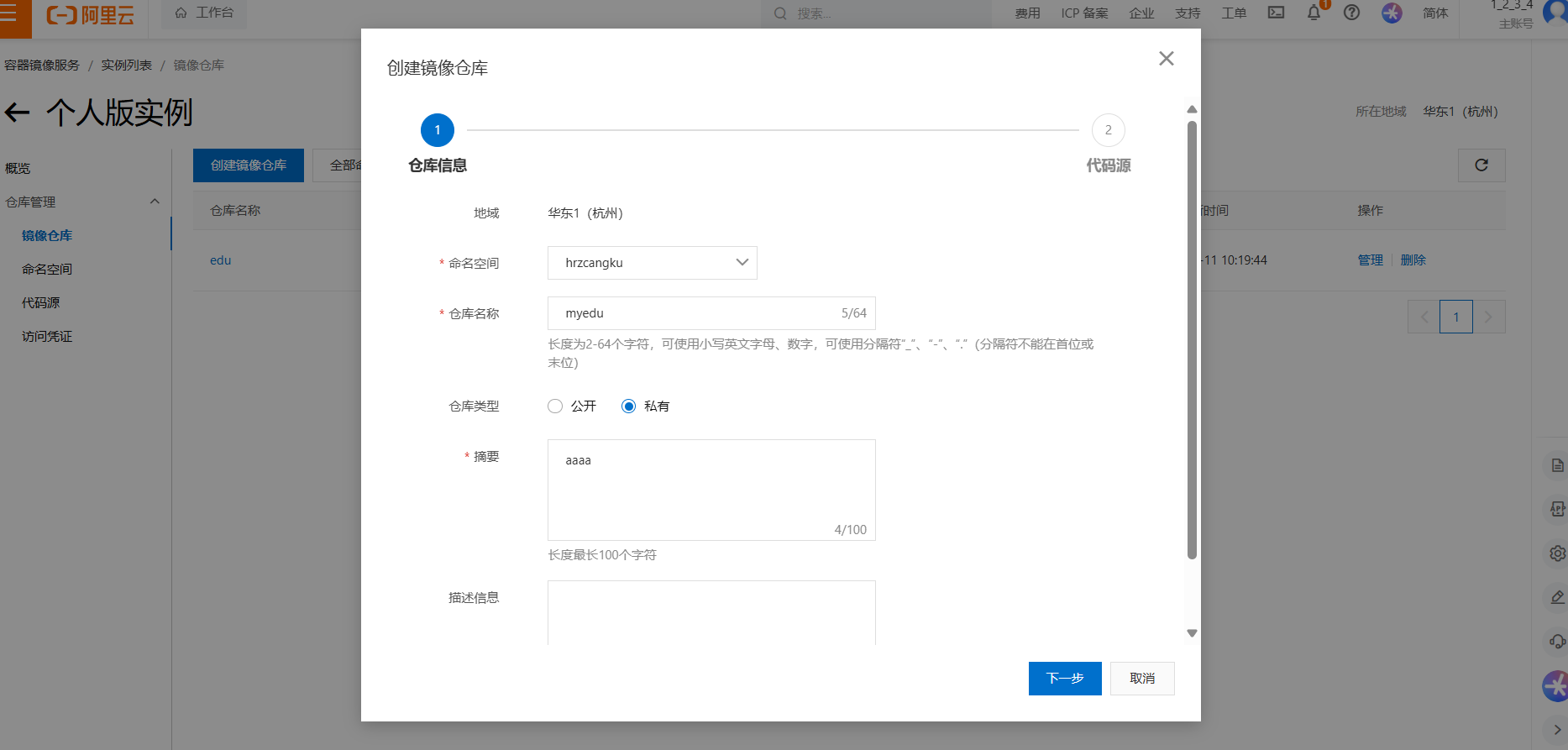
选择本地仓库
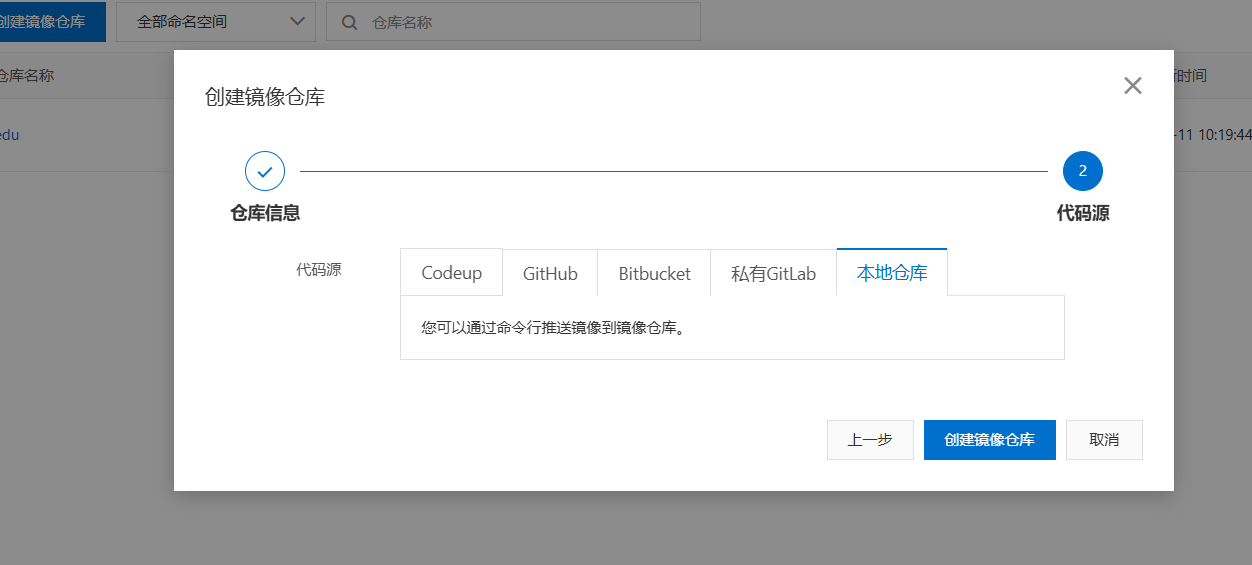
2、在Dokcer host上登陆阿里云仓库,并上传镜像。
这里需要注意阿里云仓库对镜像名的格式要求
1. 登录阿里云 Container Registry
$ docker login --username=1_2_3_4 crpi-ar9gs4pb9l2684sj.cn-hangzhou.personal.cr.aliyuncs.com
用于登录的用户名为阿里云账号全名,密码为开通服务时设置的密码。
您可以在访问凭证页面修改凭证密码。
注意:使用 RAM 用户(子账号)登录镜像仓库时,不支持企业别名带有英文半角句号(.)。
2. 从Registry中拉取镜像
$ docker pull crpi-ar9gs4pb9l2684sj.cn-hangzhou.personal.cr.aliyuncs.com/hrzcangku/myedu:[镜像版本号]
3. 将镜像推送到Registry
$ docker login --username=1_2_3_4 crpi-ar9gs4pb9l2684sj.cn-hangzhou.personal.cr.aliyuncs.com$ docker tag [ImageId] crpi-ar9gs4pb9l2684sj.cn-hangzhou.personal.cr.aliyuncs.com/hrzcangku/myedu:[镜像版本号]$ docker push crpi-ar9gs4pb9l2684sj.cn-hangzhou.personal.cr.aliyuncs.com/hrzcangku/myedu:[镜像版本号]
请根据实际镜像信息替换示例中的[ImageId]和[镜像版本号]参数。
4. 选择合适的镜像仓库地址
从ECS推送镜像时,可以选择使用镜像仓库内网地址。推送速度将得到提升并且将不会损耗您的公网流量。
如果您使用的机器位于VPC网络,请使用 crpi-ar9gs4pb9l2684sj-vpc.cn-hangzhou.personal.cr.aliyuncs.com 作为Registry的域名登录。
例
[root@hrz3 ~]# docker login --username=1_2_3_4 crpi-ar9gs4pb9l2684sj.cn-hangzhou.personal.cr.aliyuncs.com
Password:
WARNING! Your password will be stored unencrypted in /root/.docker/config.json.
Configure a credential helper to remove this warning. See
https://docs.docker.com/engine/reference/commandline/login/#credentials-store

Login Succeeded
查看有那些镜像
[root@hrz3 ~]# docker images
REPOSITORY   TAG       IMAGE ID       CREATED        SIZE
kod          v1        2c901cc19f0b   16 hours ago   676MB
打上标签
[root@hrz3 ~]# docker tag kod:v1 crpi-ar9gs4pb9l2684sj.cn-hangzhou.personal.cr.aliyuncs.com/hrzcangku/myedu:kod
[root@hrz3 ~]# docker images
REPOSITORY                                                                   TAG       IMAGE ID       CREATED        SIZE
crpi-ar9gs4pb9l2684sj.cn-hangzhou.personal.cr.aliyuncs.com/hrzcangku/myedu   kod       2c901cc19f0b   16 hours ago   676MB
kod                                                                          v1        2c901cc19f0b   16 hours ago   676MB
上传镜像
[root@hrz3 ~]# docker push crpi-ar9gs4pb9l2684sj.cn-hangzhou.personal.cr.aliyuncs.com/hrzcangku/myedu:kod
The push refers to repository [crpi-ar9gs4pb9l2684sj.cn-hangzhou.personal.cr.aliyuncs.com/hrzcangku/myedu]
149b25f22e1b: Pushed
6eda86f488c5: Pushed
0ac12758dc8d: Pushed
38b0d58f2624: Pushed
5f70bf18a086: Pushed
1ea57befb310: Pushed
9ec94cc9624f: Pushed
5e4b4ae04cd9: Pushed
6f1a031a1927: Pushed
29b3d0cda6df: Pushed
f87a122abf44: Pushed
b5fcb9bddd9e: Pushed
c59f4dc1c691: Pushed
174f56854903: Pushed
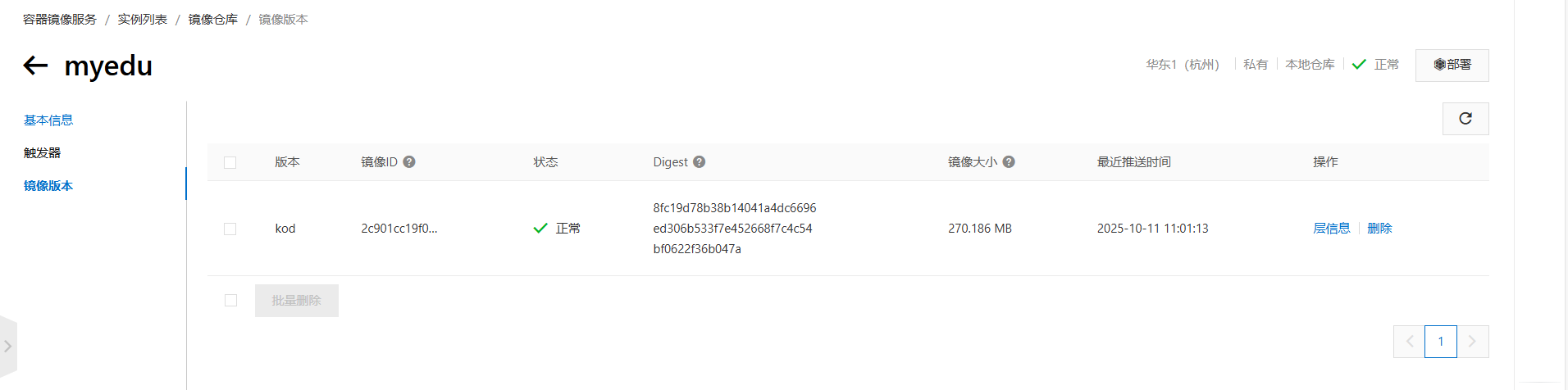
kod: digest: sha256:8fc19d78b38b14041a4dc6696ed306b533f7e452668f7c4c54bf0622f36b047a size: 3242
查看仓库

码道开发者社区,聚焦华为云码道 CodeArts 代码智能体,沉淀 Agent、Skill、鸿蒙开发实战内容,供开发者查阅资料、交流技术、分享工程实践
更多推荐


 7
7 0
0- 0


 已为社区贡献8条内容

所有评论(0)