Docker Desktop
·
参考Windows 11 家庭中文版安装Docker Desktop:https://blog.csdn.net/Xiao_Ya__/article/details/152329190?spm=1001.2014.3001.5502
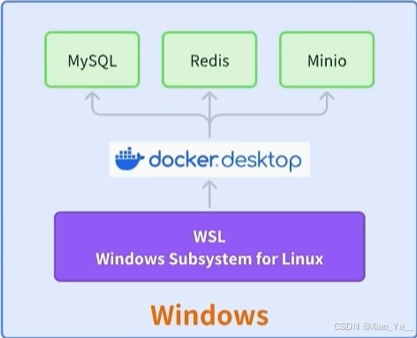
为什么使用Docker Desktop?
安装docker desktop,在我们开发期间还是非常有用的,基本的工作原理就是在Windows里面支持这个Windows Subsystem for Linux,称为WSL。其实就是Windows的这个Linux子系统,它内置了Linux,如果我们再去安装一个docker desktop,它就可以调用这个Linux的能力。使用docker的命令,一键就能启动非常多的容器。这个在我们开发环境里边非常的好使,包括像最近流行的一些大模型应用,好多也都有docker的这些一键启动命令,有了docker desktop,那么就不用安装虚拟机了,直接在我们电脑上就一键启动这些应用来进行体验。
查看docker 安装:docker -v
C:\Users\WYX>docker -v
Docker version 28.4.0, build d8eb465
运行 Hello World 镜像
docker run hello-world
成功运行后,终端会显示类似以下信息:
C:\Users\WYX>docker run hello-world
docker: error during connect: Head "http://%2F%2F.%2Fpipe%2FdockerDesktopLinuxEngine/_ping": open //./pipe/dockerDesktopLinuxEngine: The system cannot find the file specified.

Run 'docker run --help' for more information

C:\Users\WYX>docker run hello-world
Unable to find image 'hello-world:latest' locally
latest: Pulling from library/hello-world
17eec7bbc9d7: Pull complete
Digest: sha256:54e66cc1dd1fcb1c3c58bd8017914dbed8701e2d8c74d9262e26bd9cc1642d31
Status: Downloaded newer image for hello-world:latest

Hello from Docker!
This message shows that your installation appears to be working correctly.

To generate this message, Docker took the following steps:
 1. The Docker client contacted the Docker daemon.
 2. The Docker daemon pulled the "hello-world" image from the Docker Hub.
    (amd64)
 3. The Docker daemon created a new container from that image which runs the
    executable that produces the output you are currently reading.
 4. The Docker daemon streamed that output to the Docker client, which sent it
    to your terminal.

To try something more ambitious, you can run an Ubuntu container with:
 $ docker run -it ubuntu bash

Share images, automate workflows, and more with a free Docker ID:
 https://hub.docker.com/

For more examples and ideas, visit:
 https://docs.docker.com/get-started/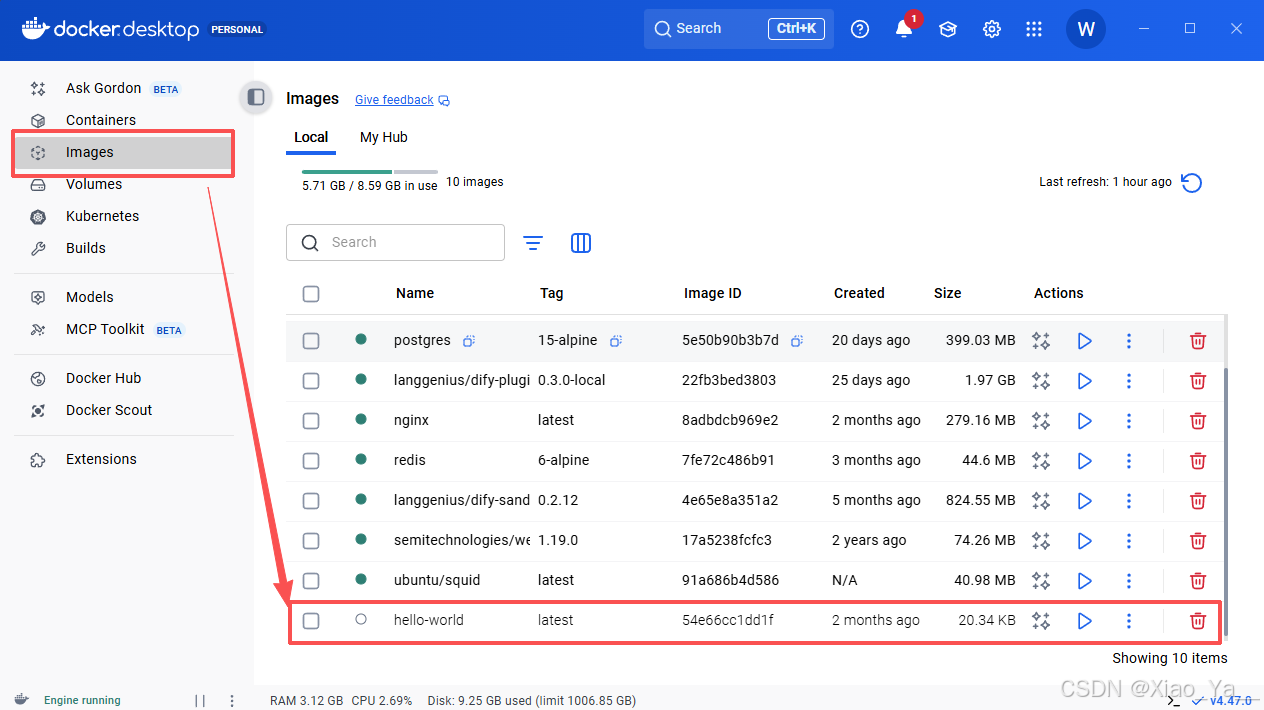

码道开发者社区,聚焦华为云码道 CodeArts 代码智能体,沉淀 Agent、Skill、鸿蒙开发实战内容,供开发者查阅资料、交流技术、分享工程实践
更多推荐



 6
6 0
0- 0


 已为社区贡献3条内容

所有评论(0)